Maintenance
LF-100 User Guide 33
Replace the Knife
For the structure of the cutter plunger, see “Cutter Plunger” on page 31
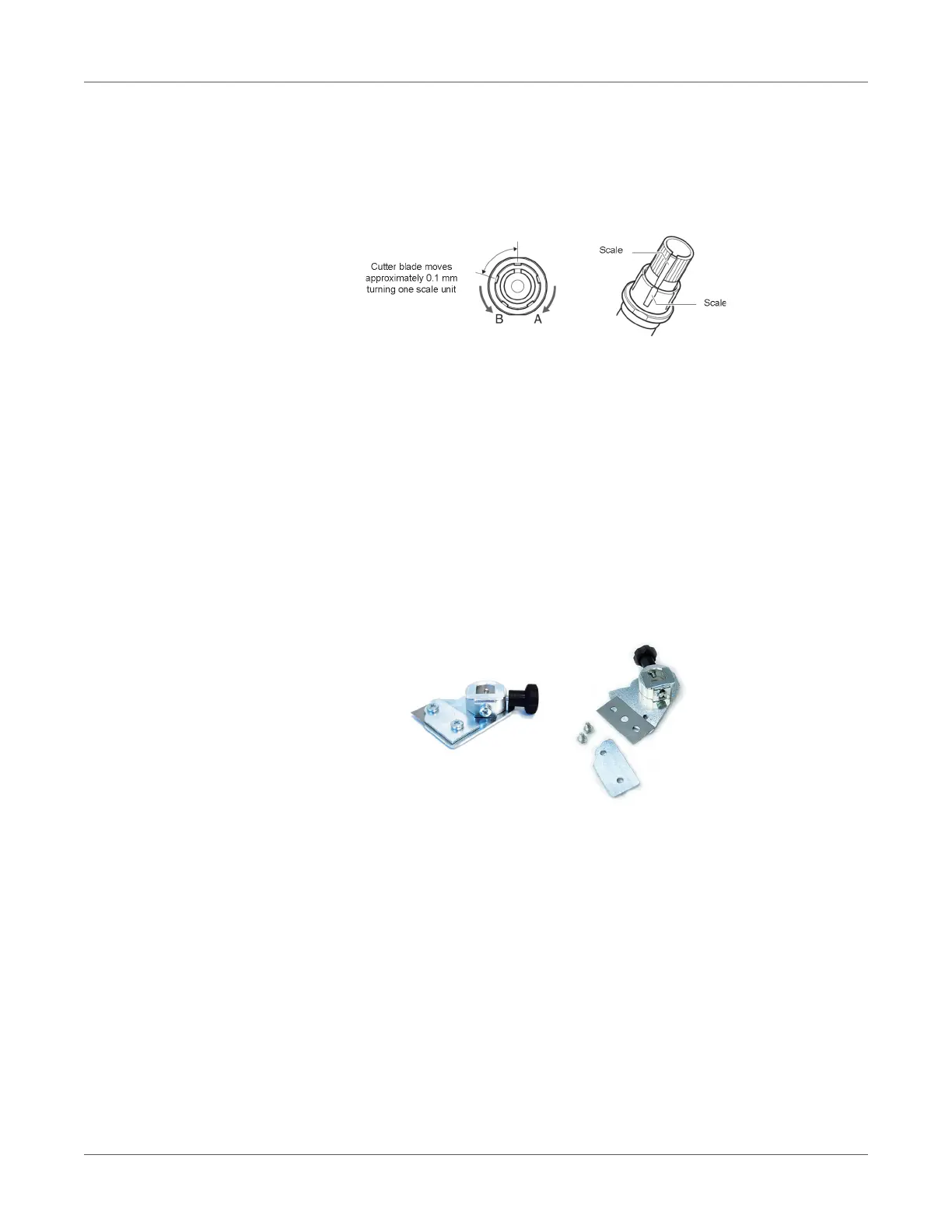
1. Turn the blade-length adjustment knob in the direction of the B arrow and pull the blade
into the plunger.
2. Turn the plunger cap in the counter-clockwise direction to remove it from the plunger.
3. Remove the blade from inside the plunger cap.
4. Remove a new blade from its pack. Insert the new blade into the hole provided in the
plunger cap.
5. With the blade inserted into the plunger cap, screw on the plunger from above.
6. Fix the plunger cap by turning it clockwise.
Attention: In order to preserve the lifespan of the plotter knife and not to wear it out quickly,
make sure to properly calibrate the knife exposure and cut force depending on the media
thickness.
Replace the Slitter Blade
1. Remove the two screws holding the blade in place.
2. Replace the blade.
3. Replace the two screws holding the blade in place.



 To Next Page