18
Selecting Watch Tone
Your system gives you the ability to watch points when its
turned off, meaning that it can be programmed to alert you to
opened doors and windows. For example, parents with small
children may want a tone to be sounded whenever a door or
window is opened as a way of monitoring the whereabouts of the
kids.
Use this feature to set the type of response your system pro-
duces when a watch point is faulted. For example, you may tell your
system to wink a light and sound a short tone whenever certain
doors or windows are opened. Use the Selecting Watch Points feature
to specify which points in your system are to be watched. To
select a watch tone:
1. Make sure that the system is off (On light is off).
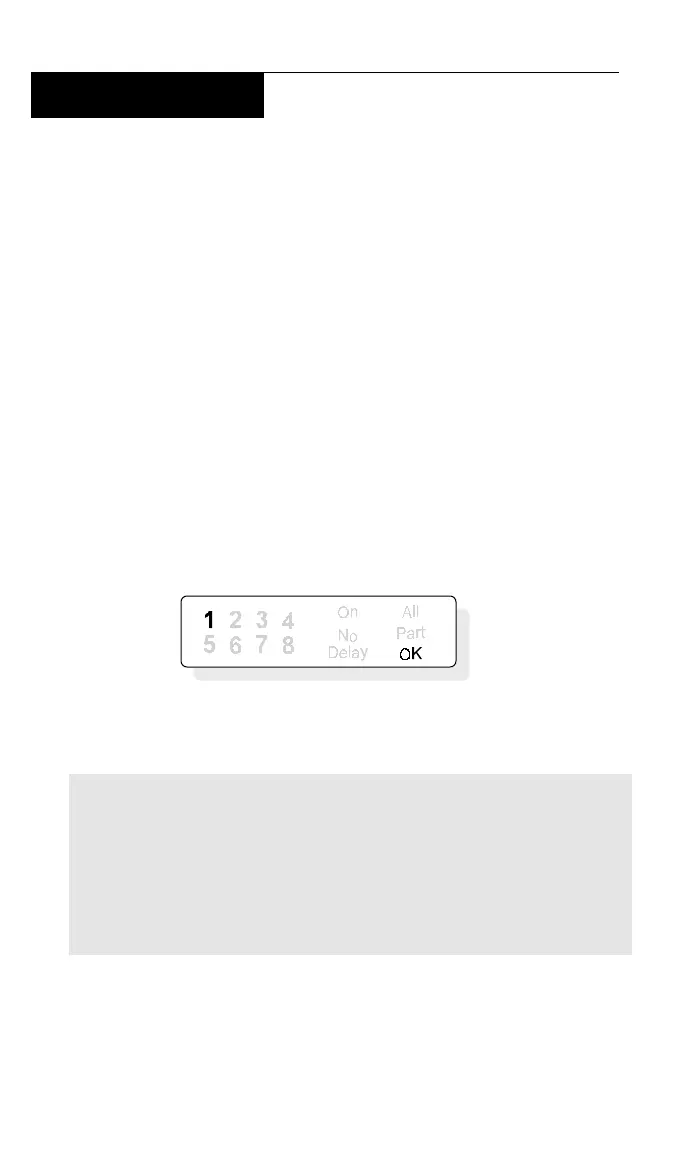
2. Press the 7 key and enter your passcode. The display shows
the current watch tone selected. In this example, the current watch
tone setting is 1:
3. Select the type of watch tone you want by pressing the
indicated digit:
1 - Wink point light, but sound no tone when points are faulted.
2 - Wink point light and sound a short tone when points are faulted.
3 - Wink point light and sound a tone until the CLEAR key is pressed.
4 - Wink point light and sound a tone until the point is
returned to normal (door or window is closed). Pressing the
CLEAR key will also silence the tone.
4. When you have made your selection, press the CLEAR key
to return to the off display.



 To Next Page