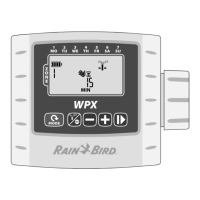
WPX Battery-Operated Controller
3
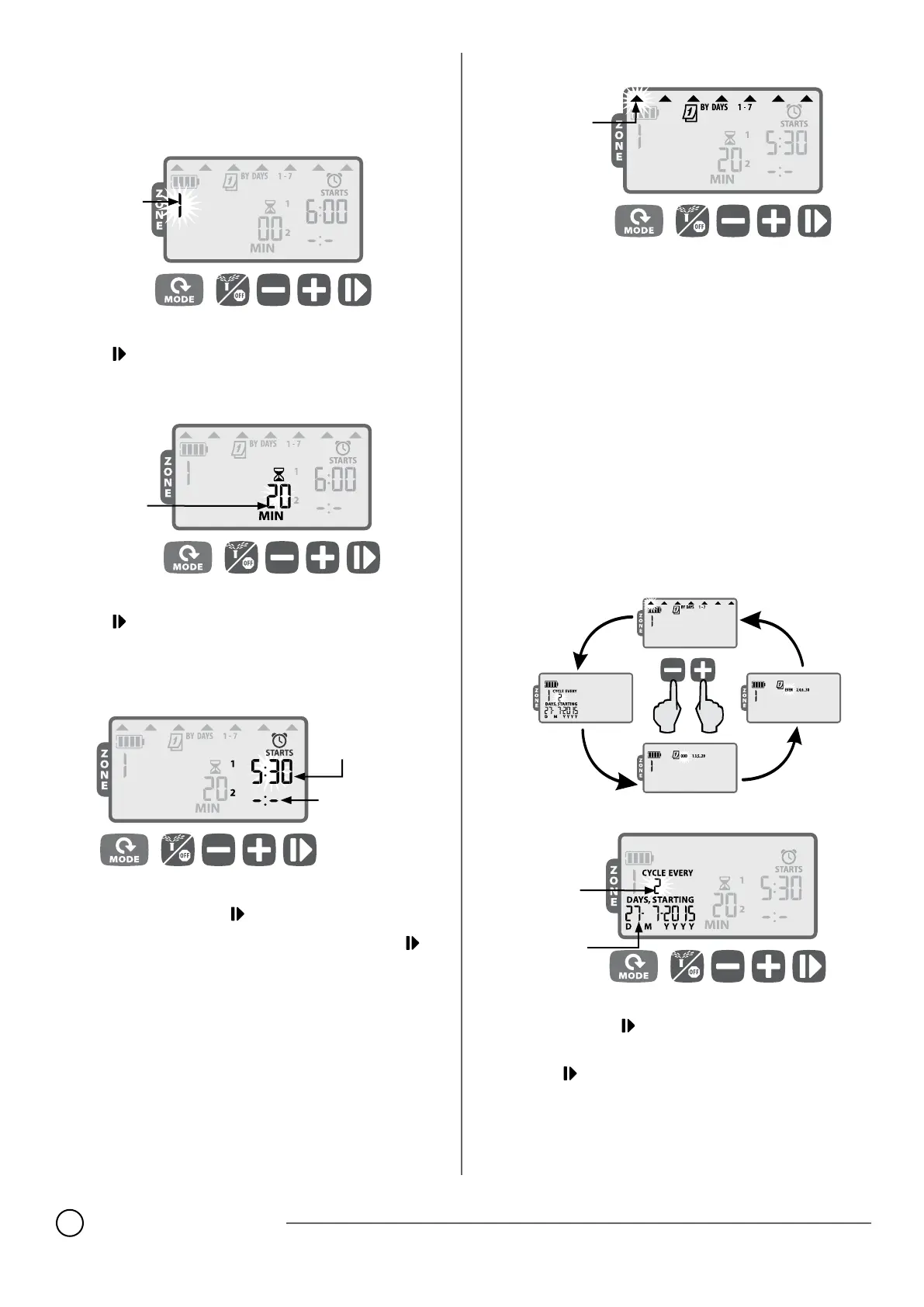
Set Irrigation Schedule
Press the MODE button until the Set Irrigation Schedule screen is
displayed.
1
Select Zone
SELECT
ZONE
Press
+
or
–
to select the Zone Number; then
press
2
Set Zone Watering Run Times
SET ZONE
RUN TIME
Press
+
or
–
to set the Run Time (in minutes); then
press
NOTE: Run Times can be set between 1 to 240
minutes.
3
Set Zone Watering Start Times
ZONE 1
(START TIME 1)
ZONE 1
(START TIME 2)
Press
+
or
–
to set the 1st Start Time for the selected Zone (set to
06:00 by default); then press
Press
+
or
–
to set the next Start Time, or press
again to advance to Set Watering Days.
REPEAT to set additional Start Times, up to six for that Zone.
NOTE: Adjustments are set in 10 minute increments.
NOTE: To remove a Start Time, press
+
or
–
until
-:-
(OFF) is dis-
played. (
-:-
is just before 0:00 or 12:00 AM.)
NOTE: The controller will not water multiple zones at the same
time. If two or more zones have the same (or overlapping) start
times, the controller will wait until the rst zone is nished water-
ing before starting the rest of the zones in sequence. This method
is called “start time stacking”.
4
Set Zone Watering Days
SELECTION
DAY
Custom Days
Press
+
(to enable) or
–
(to disable) the blinking Selection Day.
The cursor will automatically advance to the next Selection Day.
REPEAT to set each day of the week as desired.
REPEAT Steps 1-4 for additional Zones as desired.
When programming is complete, press the MODE button until the
AUTO RUN screen is displayed.
Watering Day Options
Additional Watering Day options are also available:
Cyclic Days (1-30)
Odd Days (Will NOT water on the 31st of the month)
Even Days
To change a zone’s watering day type, simply press the
+
and
–
buttons at the same time while setting Zone
Watering Days.
Cyclic Days
SET
DAY
CYCLE
SET
START
DATE
Press
+
or
–
button to set the number of days in the watering
cycle; then press
Press
+
or
–
to set the next Watering Day; then
press













 To Next Page