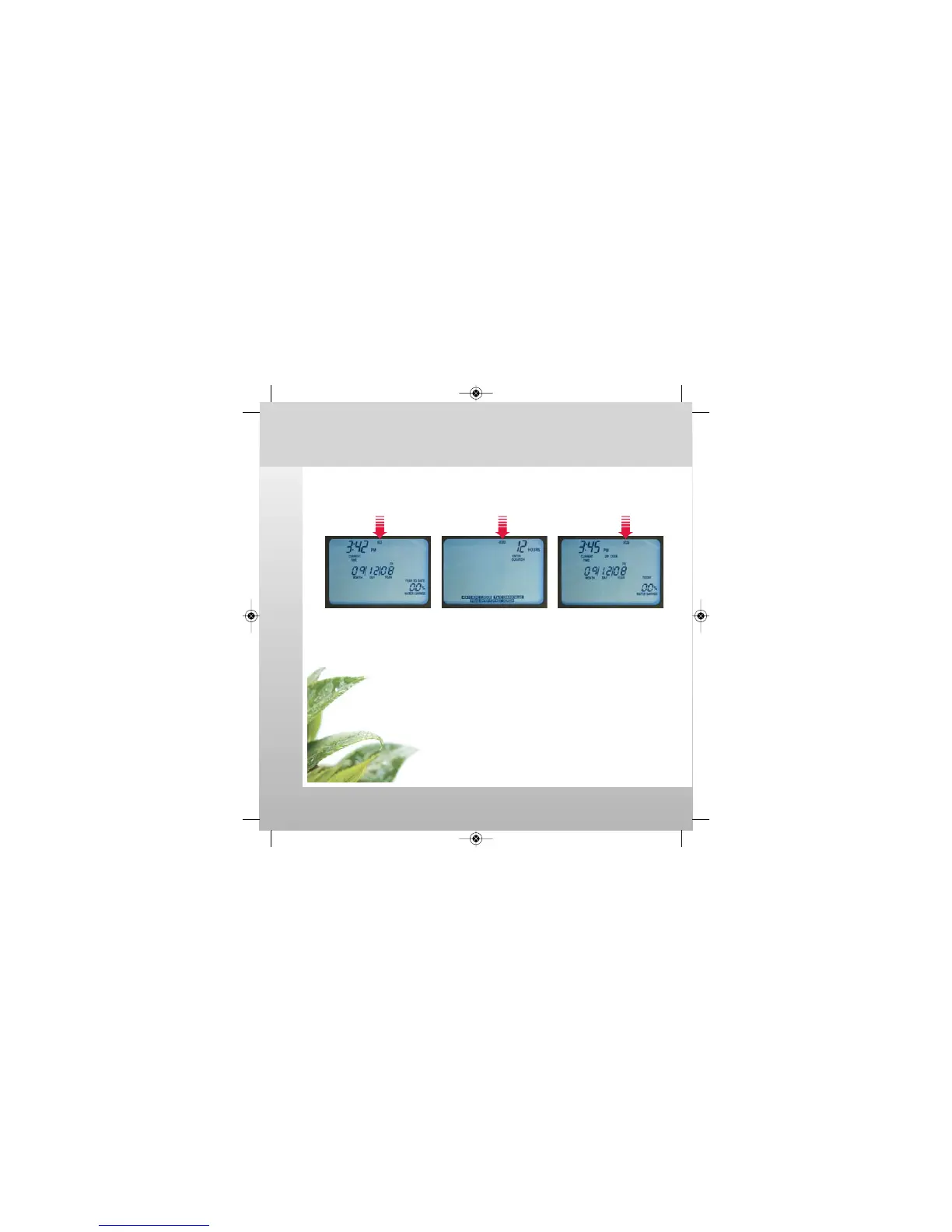
Change AUTO RUN mode to ON, SKIP, or OFF.
Auto Run (ON / SKIP / OFF)
watch the video at raindrip.com/smart
Installation & Programming
17
On Mode Skip Mode Off Mode
Press AUTO RUN button to select ON, SKIP, or OFF mode.
ON: Controller is in automatic watering mode.
SKIP: Controller will “skip” watering for a selected time period.
1. Input DURATION (1 to 99 hours).
2. Press ENTER to start the skip cycle.
• After SKIP cycle completes, the controller will return
to the previous operating mode (ON or OFF).
SKIP programming is now complete.
OFF: Controller is “off” and will not execute any watering schedule program.
SmrtCntrl_InstlltnPrgrmng_Bklt 3/31/09 4:57 PM Page 17


 To Next Page