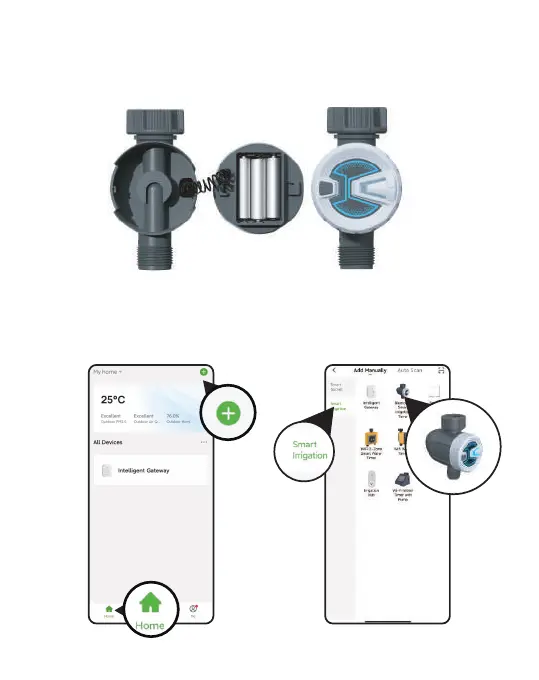
3. CONNECT THE BLUETOOTH IRRIGATION TIMER
1. Inse 3 *AAA alkaline batteries into the batte tray of the timer.
Restore the batte tray and make ceain it is secured.
2. Return to the APP home screen, and tap " + "to add the WiFi timer
3. Tap "Sma Irrigation" and " Add Manually " , then select
" Bluetooth Irrigation Timer "
- 06 -



 To Next Page