- 25 -
Note:
Home location is related to the weather forecast information obtained by the system.
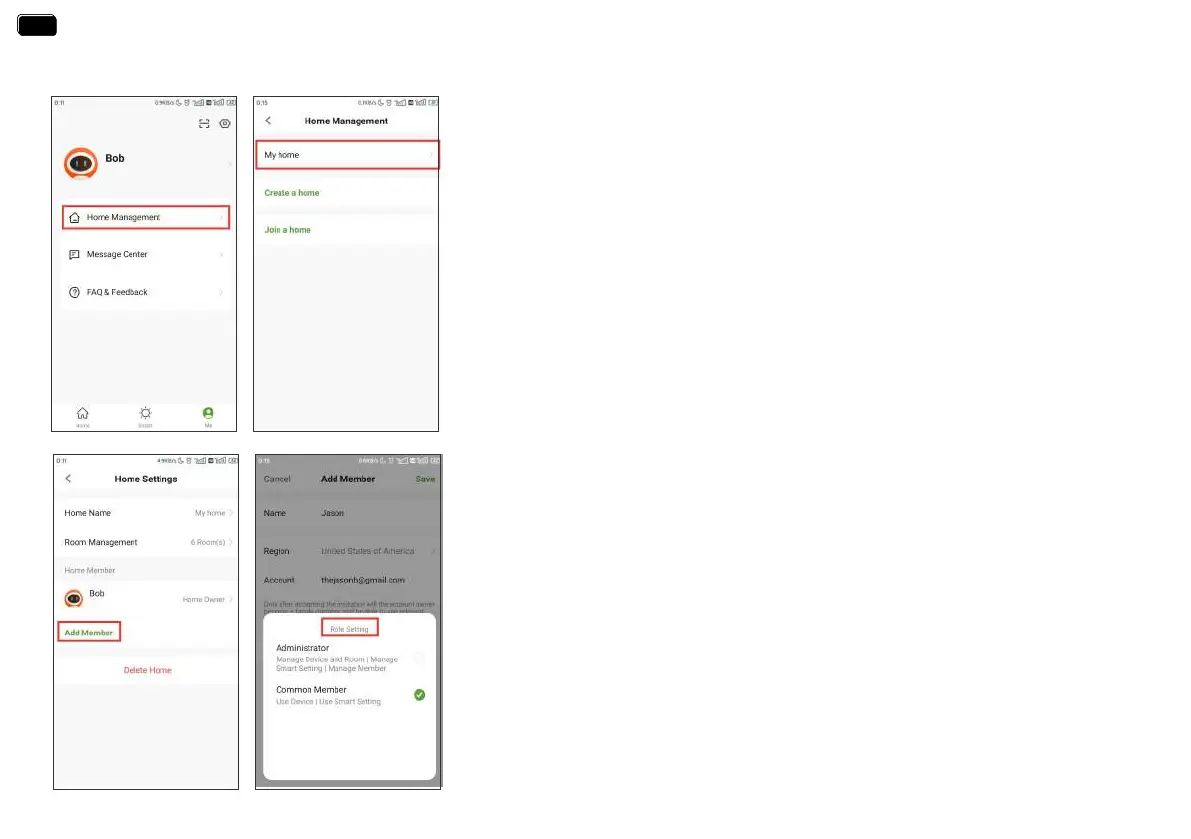
Rainpoint suppos adding family members and sharing your home device to achieve
co-management the home irrigation system with your family.
3. Set your home name, room management and home location.
4. Add Home Member and set the corresponding usage permissions for the members.
1. Tap Me at the bottom of the APP home screen.
2. Select Home Management. You can set the current home or create a home or join
another home.
SMART AUTOMATION
EN
EN


 To Next Page