- 28 -
The meaning of LED light
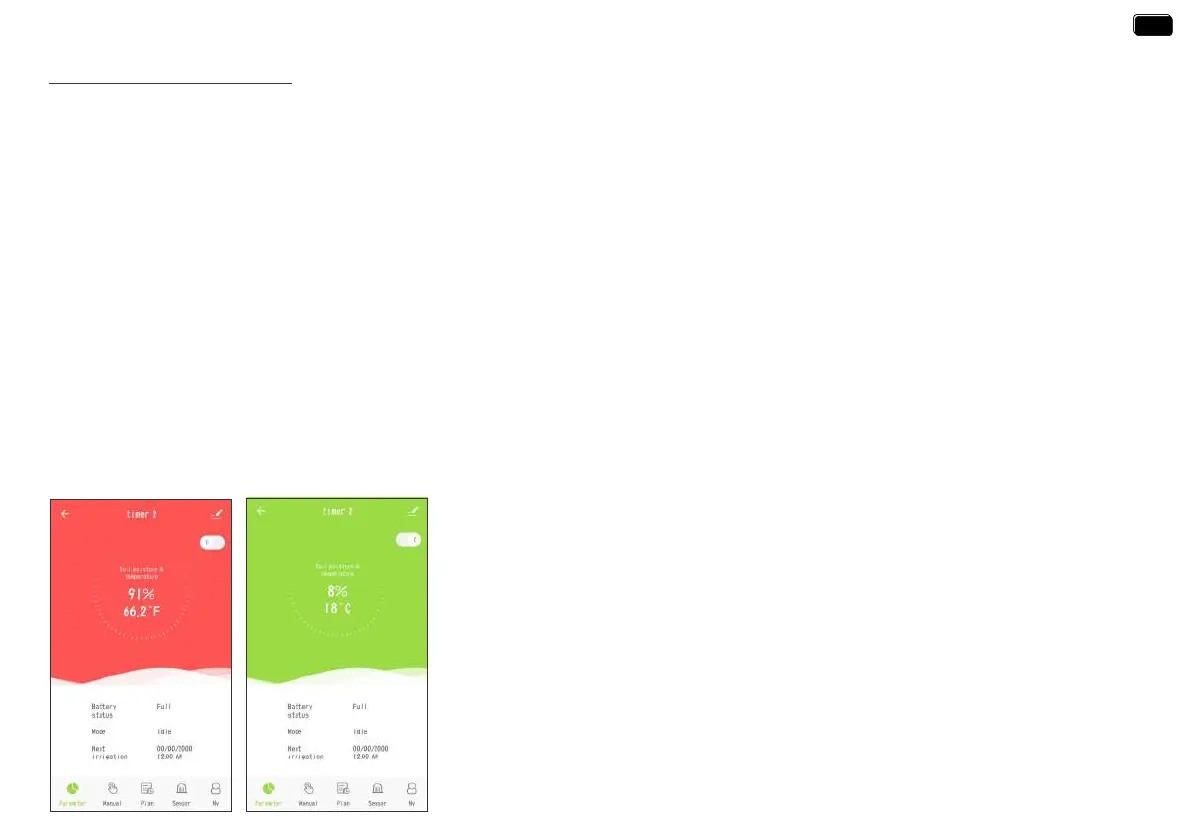
The meaning of App background color
Green means evething works well.
Red means the soil moisture is too high over the set level.
1. Power-on reset: The red and white lights ash alternately 4 times when the machine is turned on.
2. Restore facto settings: Press and hold the timer button while turning on the timer, release the button after the red light ashes, and the timer
will enter the facto reset state.
3. Irrigation status: The white light ashes for 3 seconds and lights for 200mS, indicating that the timer is in irrigation status.
4. Water leakage alarm: The red light ashes alternately for 1 second.
5. Pairing state: The white light ashes quickly (2 times per second) to indicate that the timer enters the timing pairing status, and waits for the
60-second pairing timeout to end.
6. Low batte state: The red light ashes for 3 seconds, and 200mS on indicates that the batte is in a low voltage state.
LED indicator color of TTV203WRF WiFi water timer
1. Sma pairing status: Blue LED light ashing fast(2 times per second)
2. AP pairing status: Blue LED light slow ashing
3. Socket function open: Blue LED light is always on
4. Socket function o: No light
Power indicator color of TWG004WRF WiFi Hub
EN
EN


 To Next Page