V4.1.0R
12
5.2.Configure the Regional Frequency and the LoRa Server
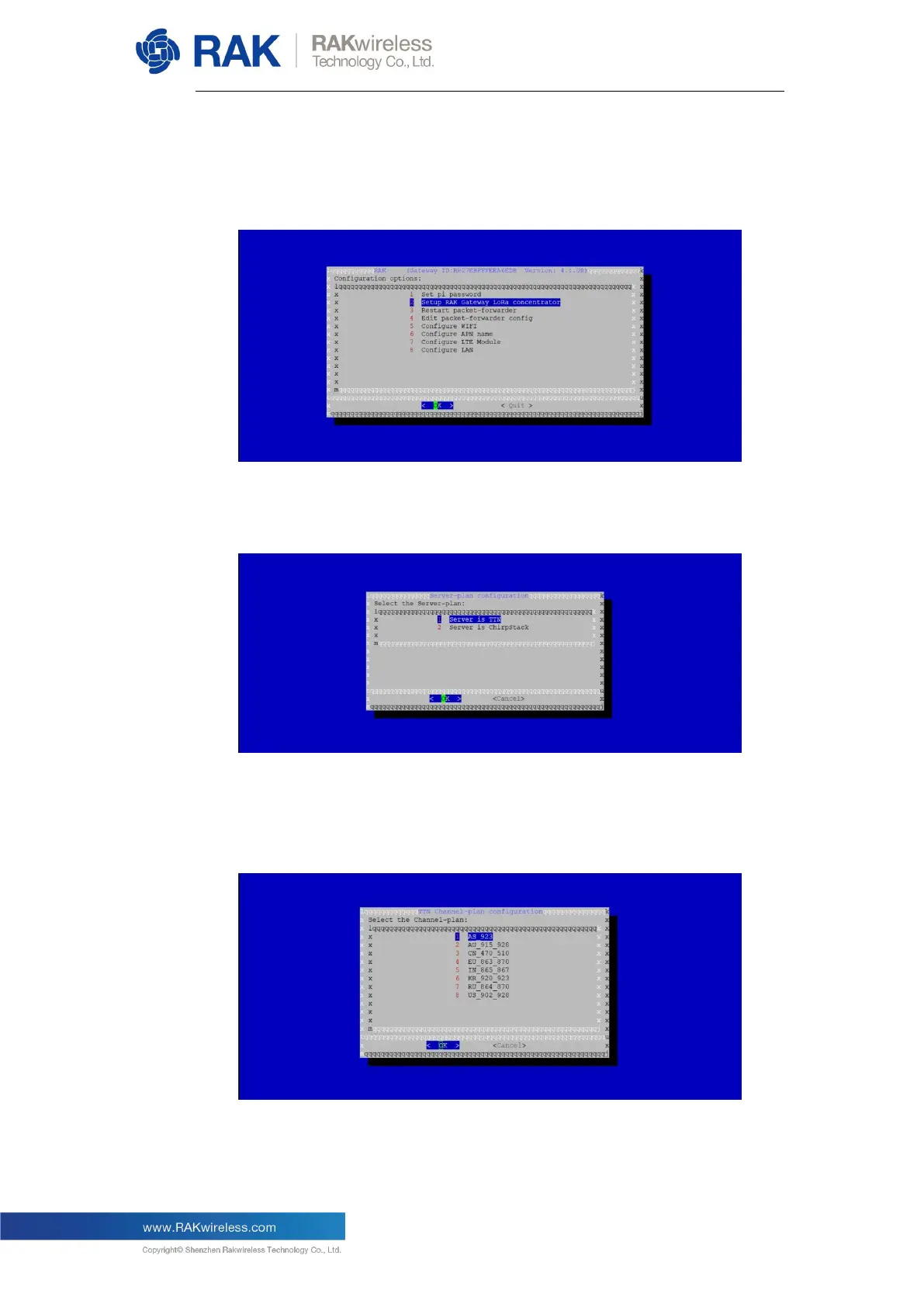
As the image below shows, choose “Setup RAK Gateway LoRa
concentrator”:
You can choose one of two supported LoRa Servers here: TTN or
ChirpStack.
5.2.1. Server is TTN
If you choose TTN as the LoRa server, you will see the page below
where you need to select your Regional Frequency Band.
You should get the massage in the image below if all went right.


 To Next Page