V4.1.0R
19
5.4.Connect to an LTE network
First, insert a SIM card of the appropriate type and size into the SIM card slot.
Power on the Gateway.
Second, log into the Gateway through SSH, and enter the command “sudo
gateway-config”.
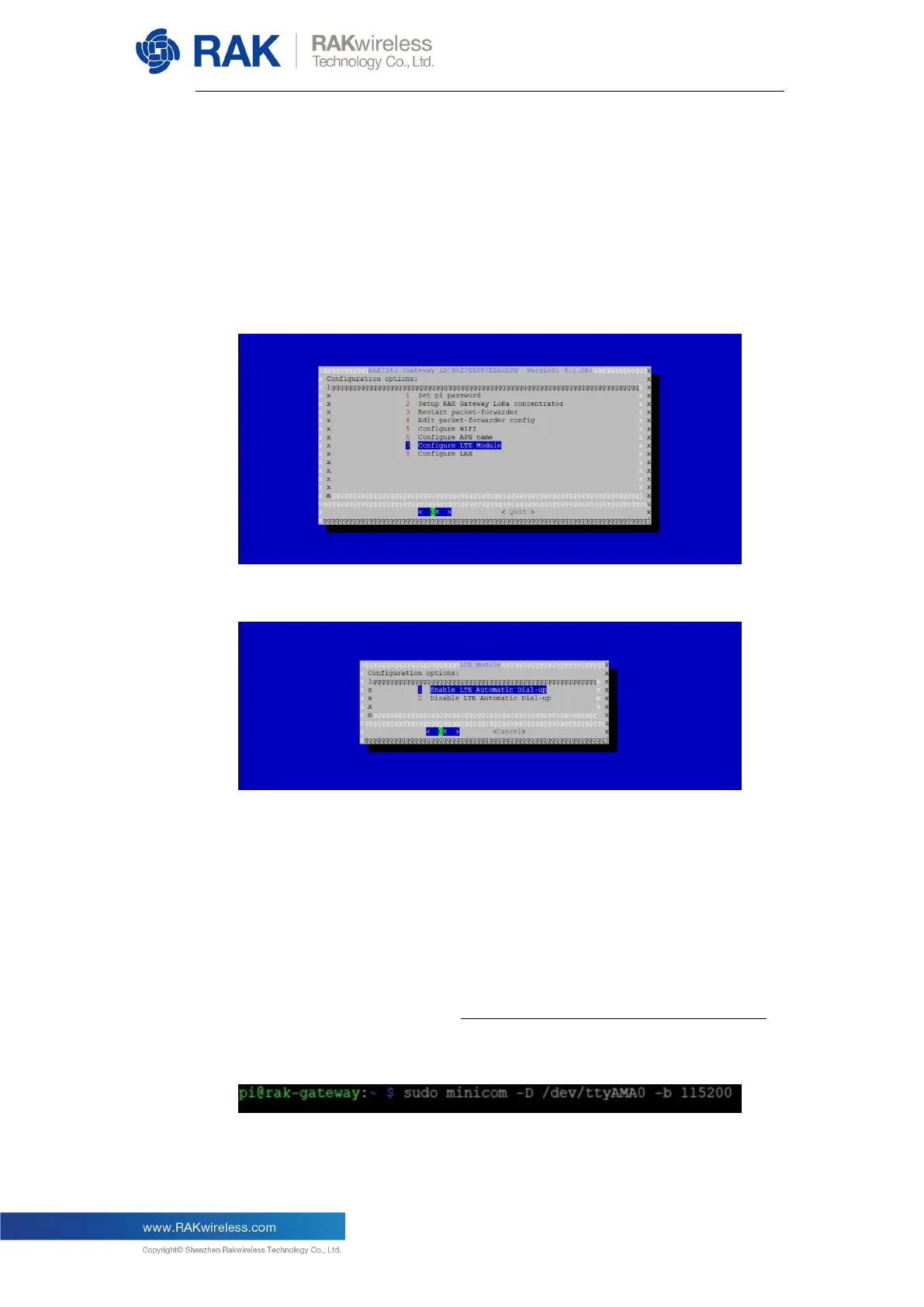
Then, in the main configuration menu choose “7 Configure LTE Module”:
In the following menu you will have 2 options:
Item 1 enables automatic connection on start-up.
Item 2 disables automatic connection on start-up.
Note: By default, the first option is active, which means the Gateway will
connect to LTE automatically when it starts up (provided it is properly
configured).
Next, you need to configure the LTE network operator’s information. Before
starting, make sure to disable the automatic connection on start-up feature.
Execute the following command in the console:


 To Next Page