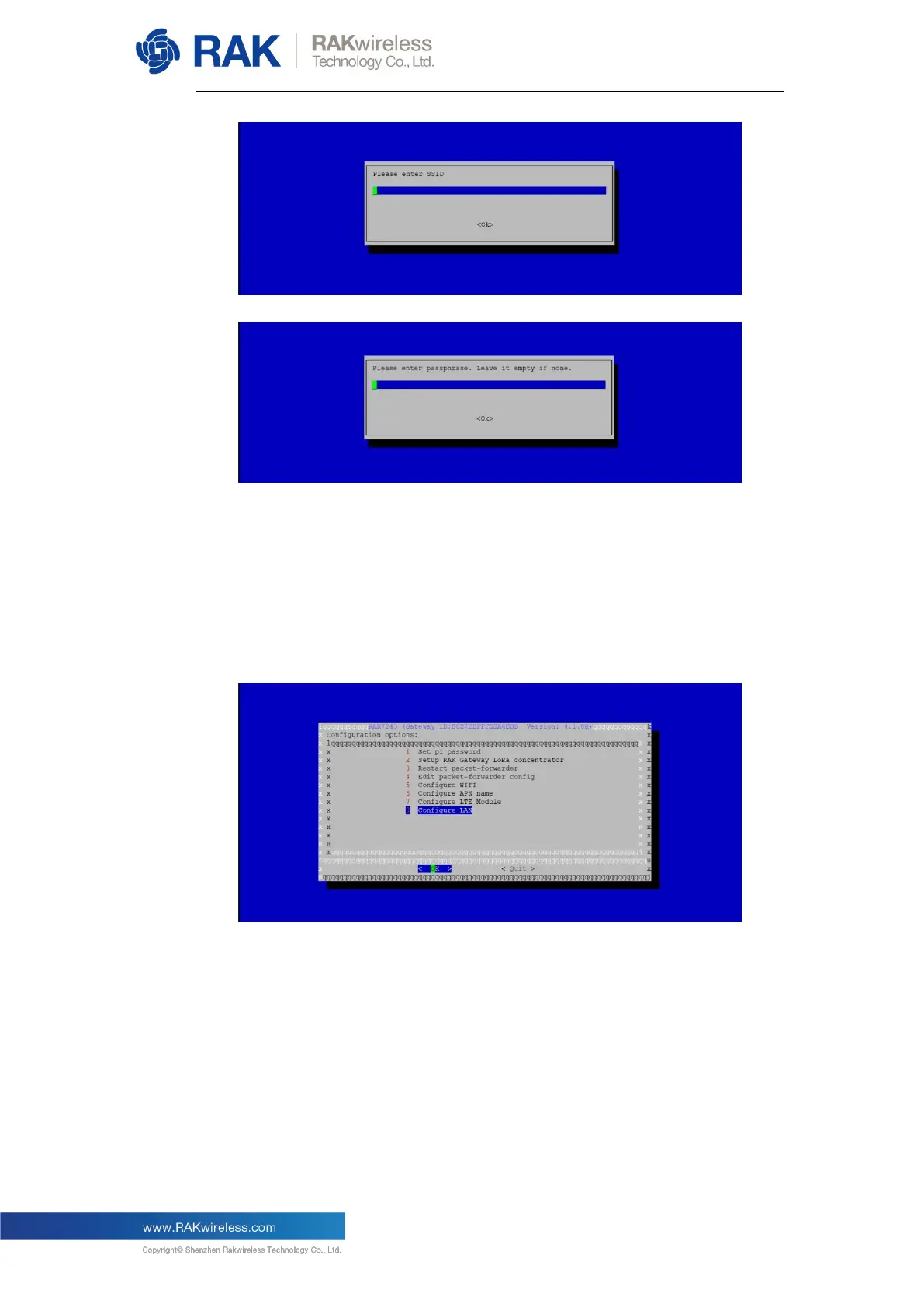
V4.1.0R
17
Once you are done with all of the steps above, you can reboot the
Gateway. Once booted the system will automatically connect to the
router using the Wi-Fi network.
5.3.2. Connect to a Router via the Ethernet interface
In the main configuration menu choose “8 Configure LAN”. This will let
you set up a static IP address for the Gateway’s Ethernet adapter.
In the page that follows you need to fill in the IP address you want to
assign to the Gateway. Keep in mind that the Gateway and the Router
must be in the same network segment, otherwise the connection will fail.
By default, the IP address of the Gateway’s Ethernet card is
192.168.10.10:


 To Next Page