V4.1.0R
13
5.2.2. Server is ChirpStack
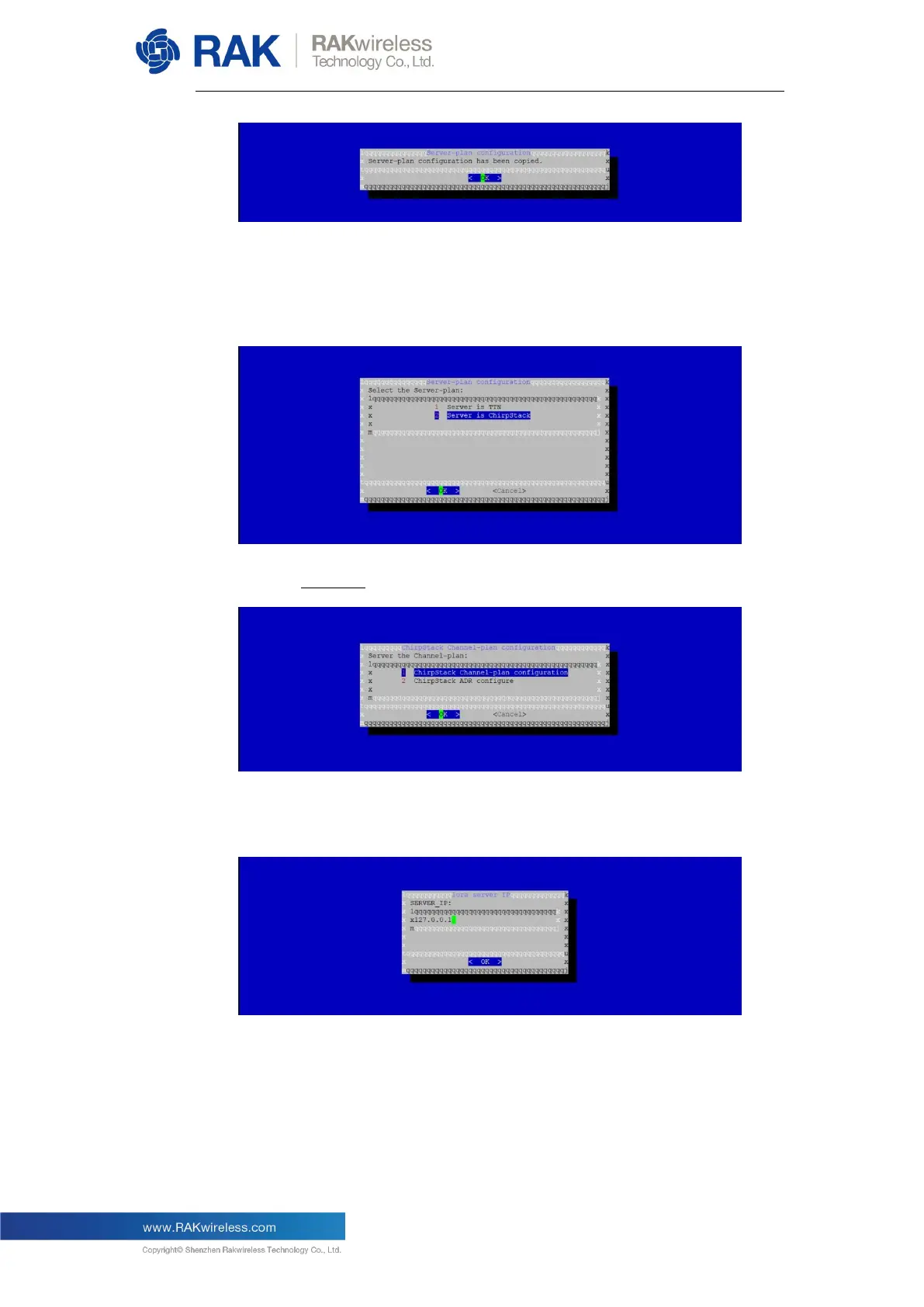
If you choose ChirpStack as the LoRa server, you will see the following
page:
Choose Option 1 to select your Regional Frequency Band.
Next, you need to set an IP address of the ChirpStack which you want
your LoRaWAN Gateway to work with:
The default IP address is “127.0.0.1” which means you will be using the
built-in LoRa Server. If you want to use an independent LoRa Server
running on another device or a cloud based LoRa Server, you need to
set it to the corresponding IP address.


 To Next Page