V4.1.0R
9
5.Configuring the Gateway
You should now be logged into the Gateway’s Raspbian OS.
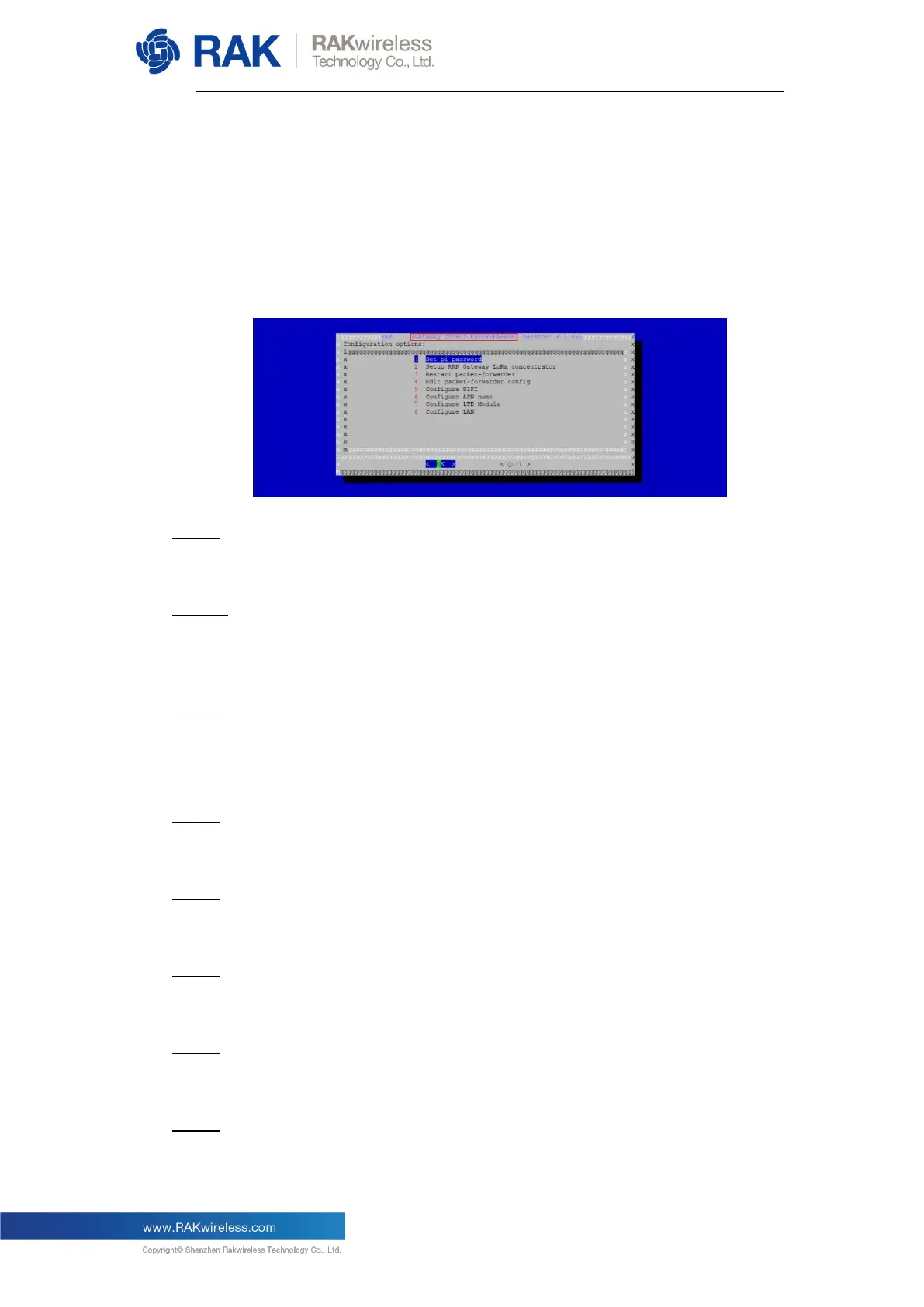
Enter the following command to start the configuration wizard:
sudo gateway-config
Item 1
Set a new password for the Gateway;
Item 2
Configure the Regional Frequency which the Gateway will work on, and the LoRa
Server which the Gateway will work with;
Item 3
Open the global_conf.json file, which includes the detailed configuration
parameters (for advanced users only);
Item 4
Restart the Packet Forwarder process;
Item 5
Configure the Wi-Fi interface;
Item 6
Configure the Ethernet interface;
Item 7
Configure the APN name of pppd;
Item 8
Turn on/off the automatic LTE connection on boot.


 To Next Page