V4.1.0R
8
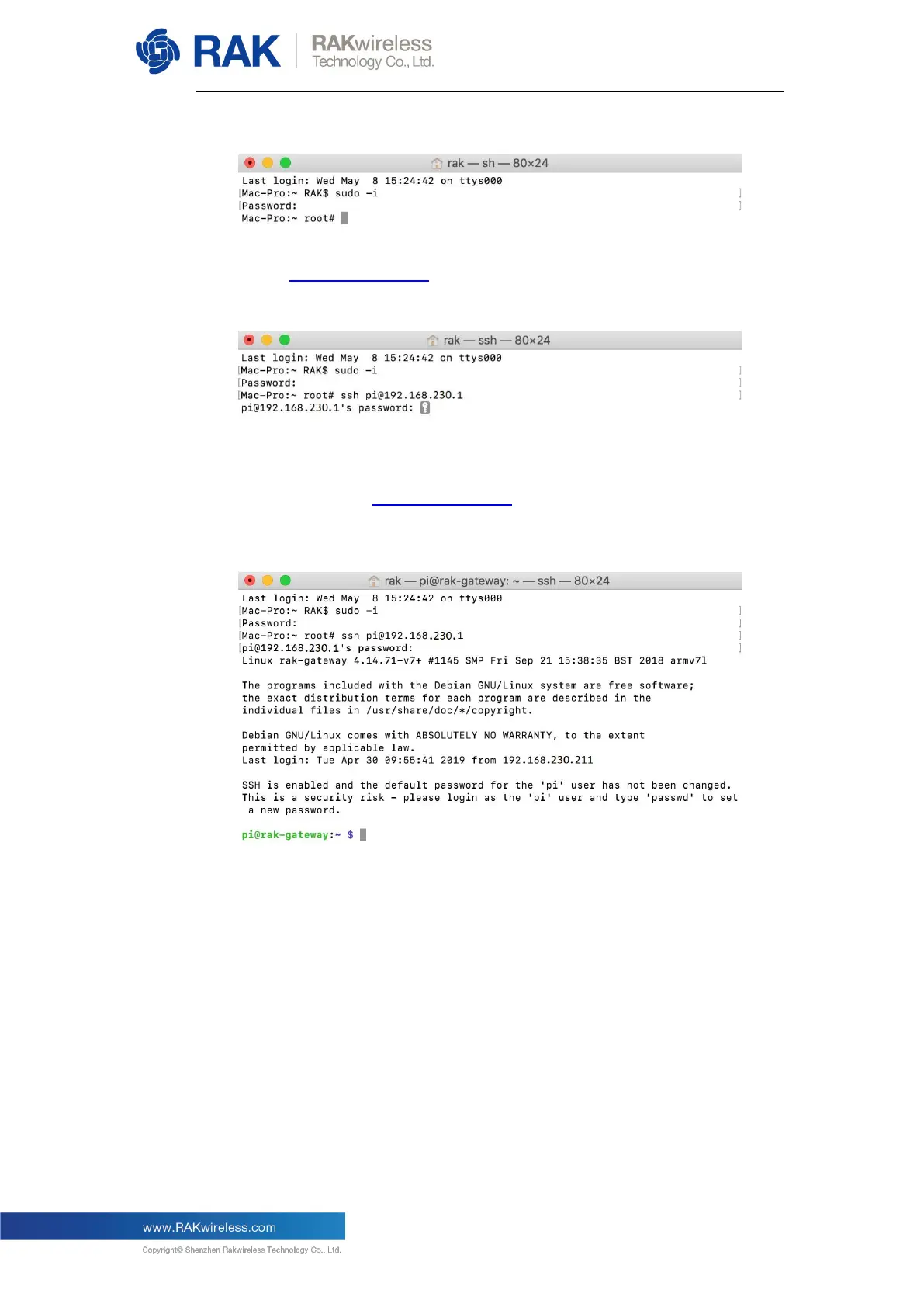
Enter the password, and you will be in root mode:
Enter “ssh pi@192.168.230.1” to logged into the LoRa Gateway, the default
password is “raspberry”:
Note: If you connect your PC with the LoRa Gateway through Ethernet cable,
you should enter “ssh pi@192.168.10.10” in this step.
OK, you have logged into the LoRa Gateway through SSH successfully:
4.3.Linux
If you are using Linux the procedure is the same as the one for Mac OS.


 To Next Page