V4.1.0R
16
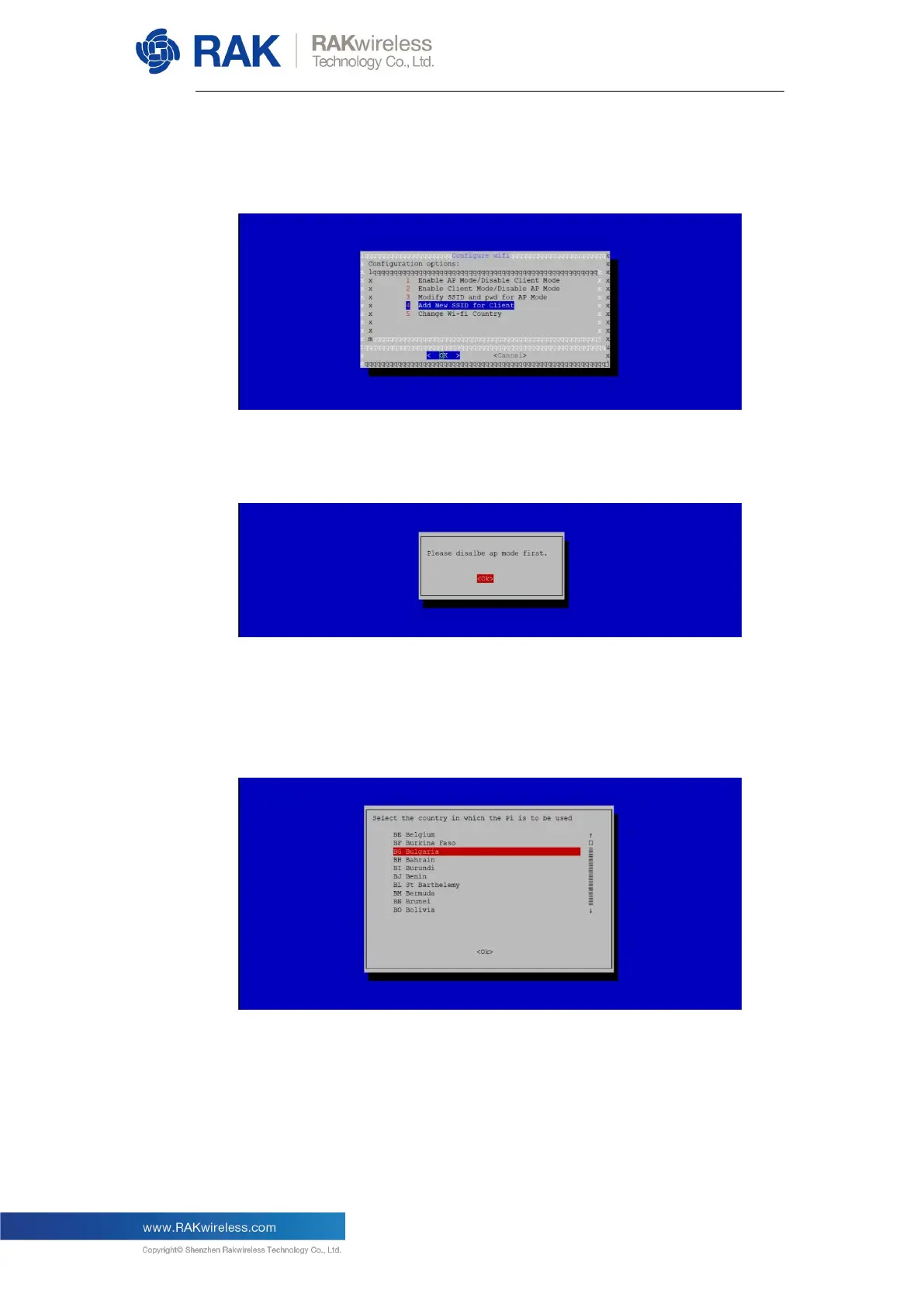
Choose Item 2 to enable Wi-Fi Client Mode, then choose Item 4 to
configure the Wi-Fi SSID and password. Fill those in accordance with
your router’s Wi-Fi network credentials.
Remember that in order to enable Wi-Fi Client Mode, you have to first
disable AP mode first (you will otherwise see the notification below):
One Wi-Fi AP Mode has been disabled you can enable and set up Wi-Fi
Client Mode.
Start by selecting your country of residence, followed by the SSID, and
lastly enter the passphrase:


 To Next Page