V4.1.0R
20
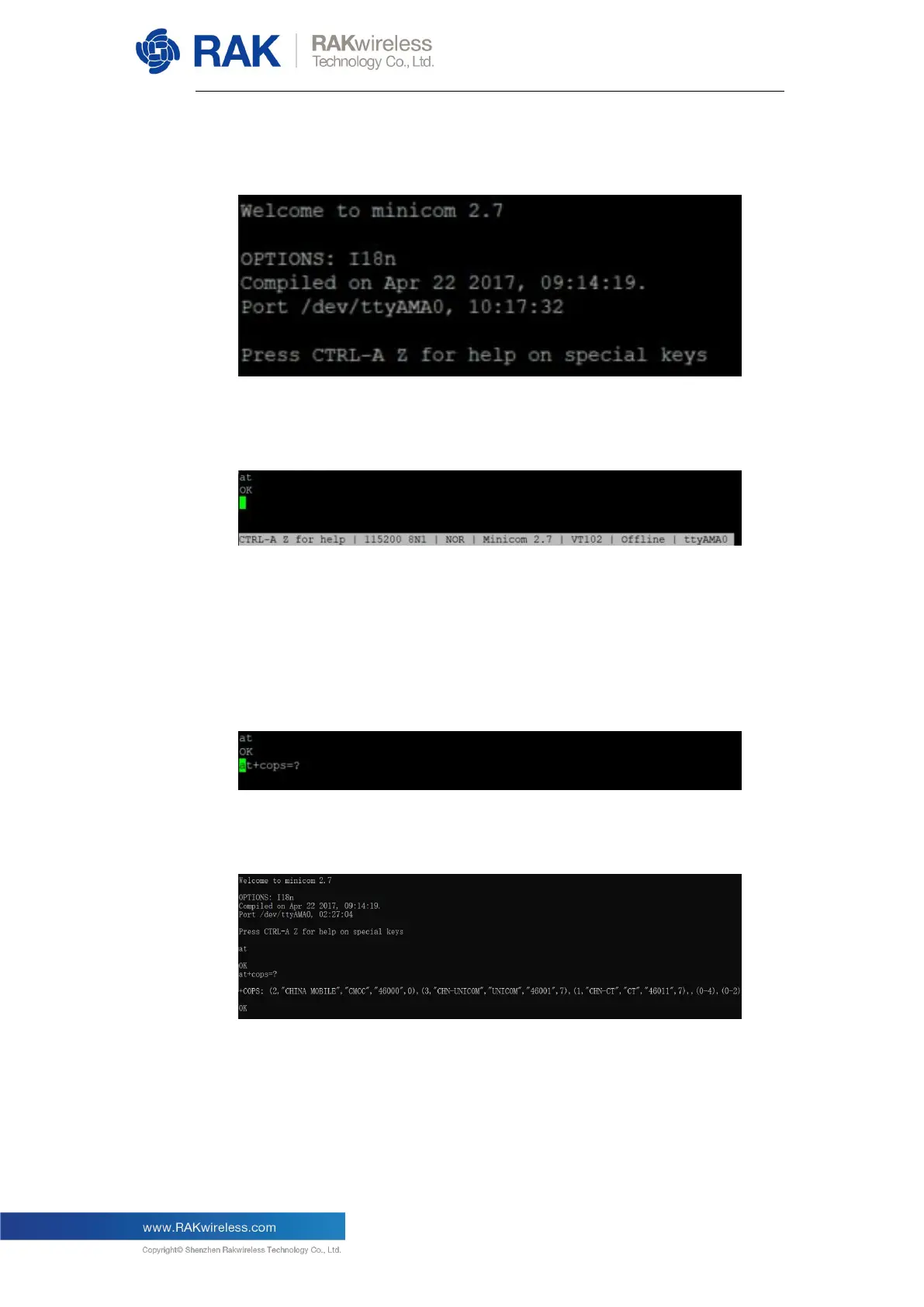
This will start the minicom tool:
Try to enter the command “at”, if it returns “OK”, it means you have opened
the serial port successfully:
Note: If you cannot see the “at”, which you just entered, try to hold “CTRL+A”,
then press “Z”, then press “E”. This should allow you to go to the command
entering mode.
Next, execute the AT command “at+cops=?” to query all LTE networks in
range:
You might have to wait a couple of seconds. When done, you can see some
information similar to what is shown below:
Note: The above picture is just an example that applies to China in Asia. You
can see there are 3 LTE network operators, including China Mobile, China
Unicom, and China Telecom. You can expect different results depending on
your location (compare the picture below, which is for a location in Bulgaria in
the EU).


 To Next Page