14
6 DEVICE AND SOFTWARE CONFIGURATION
6.1 Controller and interface box
6.1.1 Interface box overview
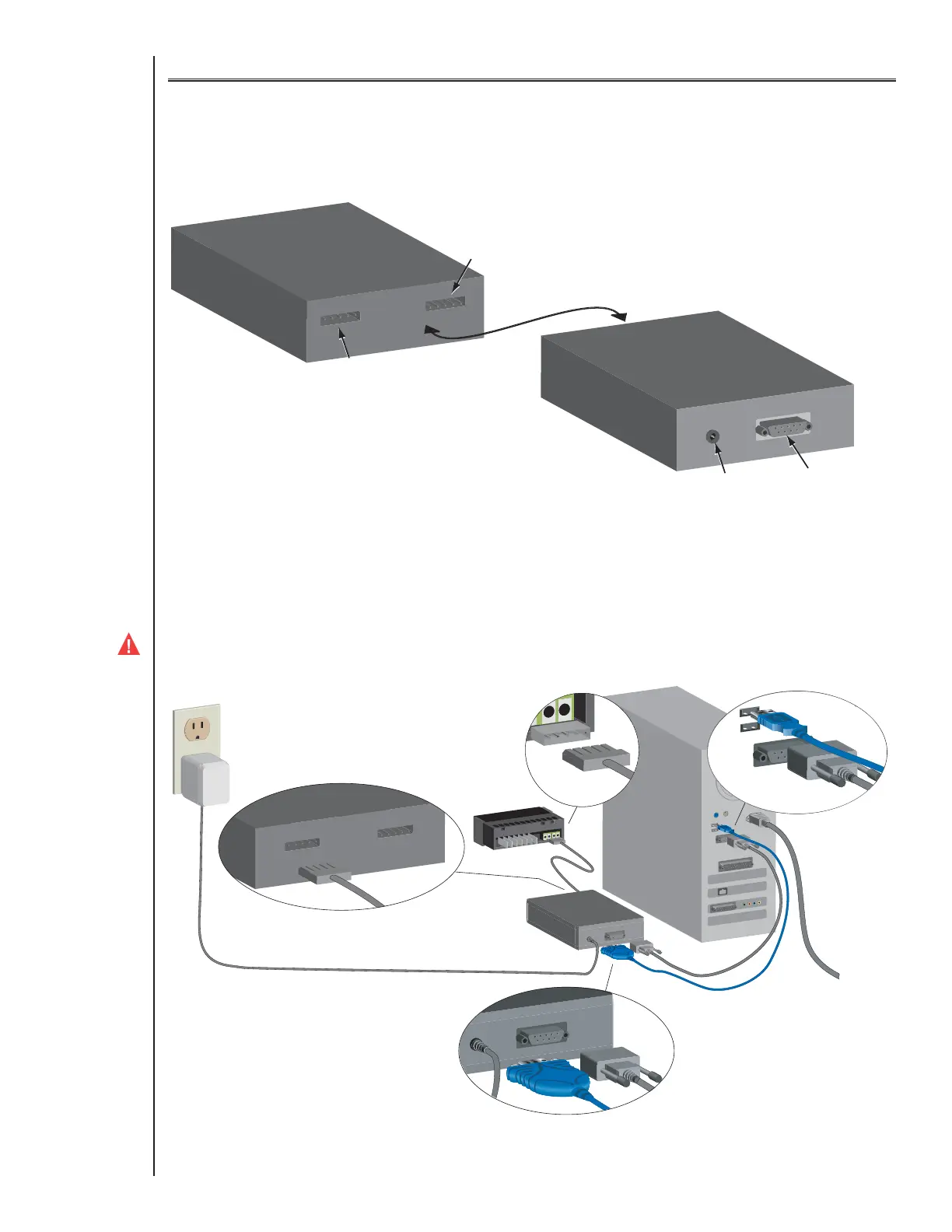
The interface box allows communication between the controller and a computer for configuration download and upload and for firmware installation.
6.1.2 Connect the interface box to the computer and E71R or E72R controller
Connect the power adapter to the interface box and plug in the adapter.
Connect the interface box to the computer using either the RS232 db9 serial cable OR the USB to RS232 db9 converter cable (shown in blue below).
Ensure that the controller is not connected to power; power is supplied by the interface box.
Connect the controller to the interface box.
WARNING: The controller must not be connected to power while configuring it with the interface box.
Type E7 EcoCool™ Electronic Temperature and Defrost Controllers
©2008 Invensys Controls All rights reserved.
DRAFT VERSION



 To Next Page