$ sudo raspi-config
1. Navigate to Interfacing Options > Serial.
2. When asked "Would you like a login shell to be accessible over serial?", answer "No".
3. When asked "Would you like the serial port hardware to be enabled?", answer "Yes".
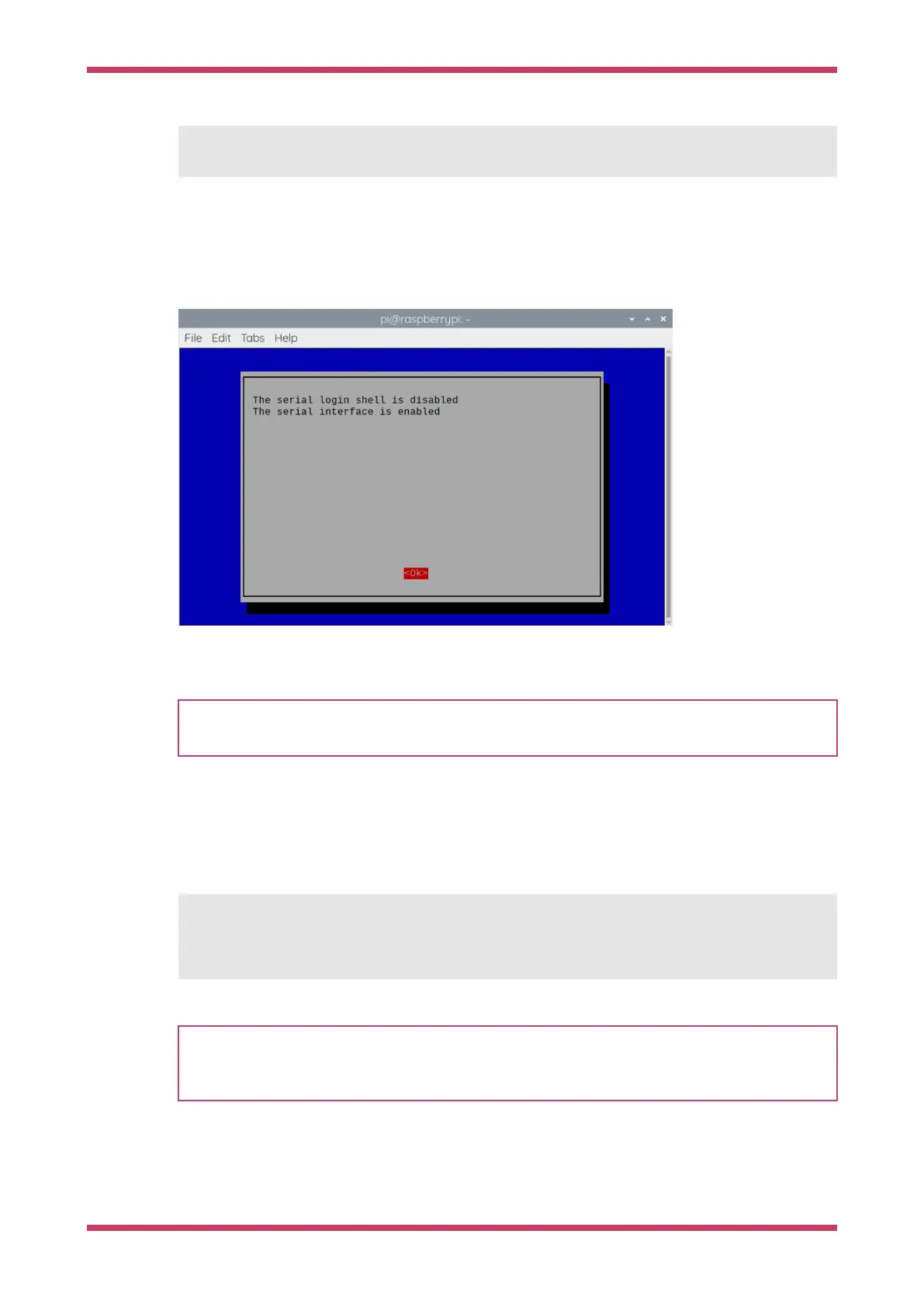
You should see something like Figure 12:
Figure 12. Enabling a
serial UART using
raspi-config on the
Raspberry Pi.
Exit raspi-config with Esc. Choose "Yes" and reboot your Raspberry Pi to enable the serial port.
IMPORTANT
Raspberry Pi 5 makes the UART on the 3-pin debug header the default for serial0. To use use GPIO pins 15 and 14
instead, append dtparam=uart0_console to /boot/firmware/config.txt.
Update the SDK
When a new version of the SDK is released, you must update your copy of the SDK. To update, navigate into pico-sdk and
run the following command:
$ cd pico-sdk
$ git pull
$ git submodule update
NOTE
To be informed of new releases, set up a custom watch on the pico-sdk GitHub repository. Navigate to
https://github.com/raspberrypi/pico-sdk and select Watch → Custom → Releases. You will receive an email
notification when a new SDK release occurs.
Getting started with Raspberry Pi Pico-series
Manually Configure your Environment 34



 To Next Page