INSTRUCTION, USE AND
MAINTENANCE MANUAL
EN
Page 45 of 91
At the bottom of the main screen page and of each
screen page described below, there will be coloured
rectangles (Fig. 44 ref. B) located above function
identification icons (Fig. 44 ref. C). These functions
are activated by pressing the appropriate coloured but-
ton on the push-button panel (Fig. 43 ref. 9). Press
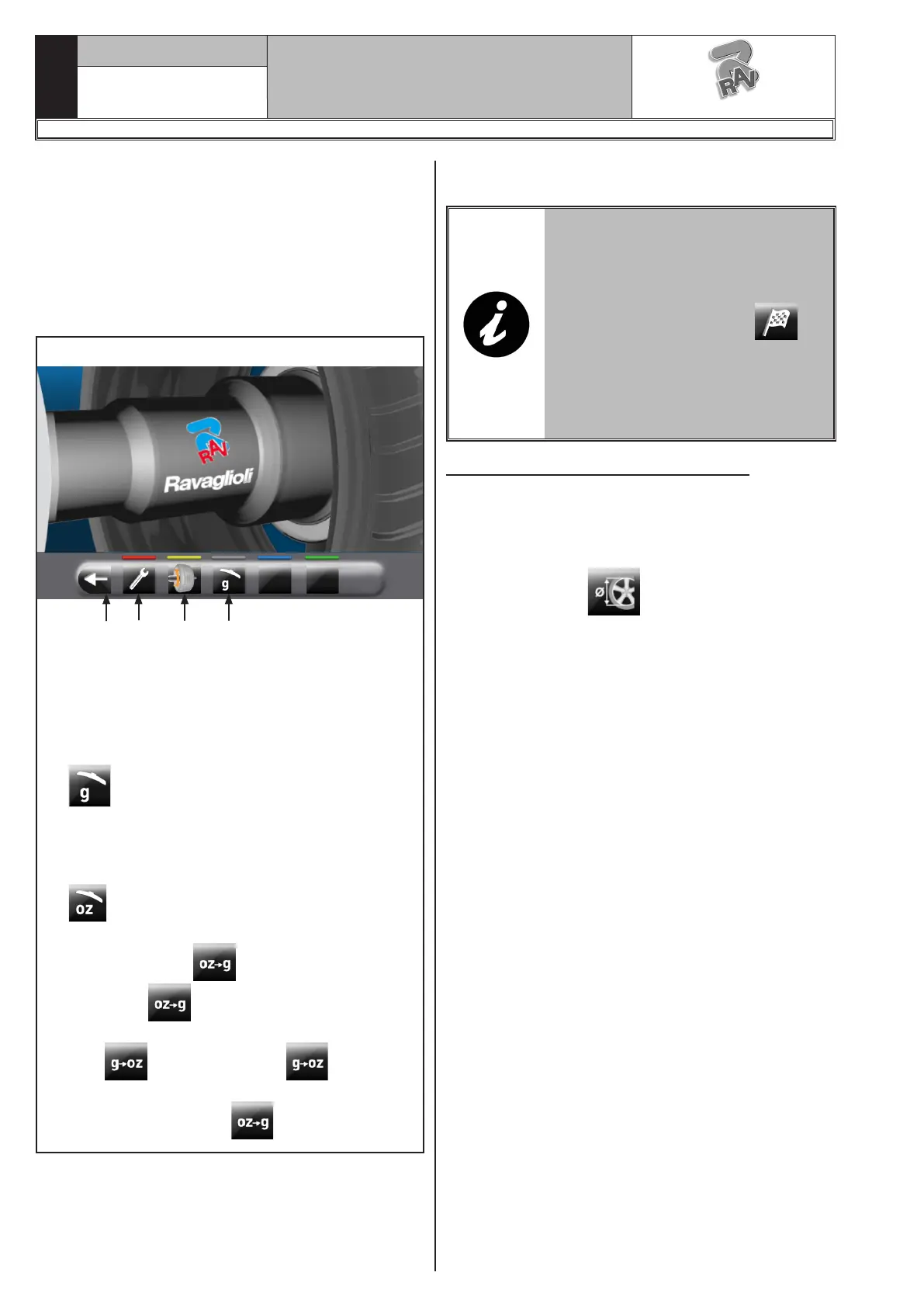
the button (Fig. 44 ref. 3) to display a second page
where you can access the "Technical assistance" menu
and the "Run-out" menu (see Fig. 45).
Fig. 45
1 23 4
KEY
1 – User menu
2 – Run-out menu (visible only if active)
3 – Return to previous page
4 – Measurement unit setting.
The machine is supplied with “grams” option
enabled (see Chap. 15.0), so weights will
be displayed only in grams and no icons will be
displayed onto push button 4.
In order to modify the measurement unit carry
out the following procedure: if “ounce” option
is activated from user menu (see Chap.
15.0), “ounce” weight displaying mode is set,
and push button will be displayed. Press
the button to set machine weight display
in grams and on the screen will be displayed
icon . Press the button to set ma-
chine weight display in ounces and on the screen
will be displayed icon .
In order to turn off the machine, simply press the "OFF"
main switch (Fig. 27 ref. 1).
WHEN THE EQUIPMENT IS
TURNED OFF LOSES ALL THE
MEASUREMENTS AND THE
STORED DATA (SIZE, SPINS, US-
ERS, ETC ...). AT RESTARTING,
PRESSING THE BUTTON (IN
THE CASE HAVE NOT YET BEEN
STORED ON THE NEW MEASURES
AFTER THE SWITCHING ON), THE
MACHINE DOES NOT PERFORM
ANY OPERATION.
14.2 Balancing programs setting
The setting of the balancing programs can be per-
formed in two ways:
- through the gauge arm (rapid setting);
- through “Measurement being acquired” screen, ap-
pearing when the button is pressed (Fig. 44
ref. 1).
The setting modes are completely different even if
they allow to reach the same result (but with different
times).
1297-M058-00
G3.150 - GP3.150 - G3.150S - GP3.150S - G3.150WS - GP3.150WS - G3.150WSPLUS - GP3.150WSPLUS - G3.150SA - G3.150WSA
RAVAGLIOLI S.p.A.



 To Next Page