INSTRUCTION, USE AND
MAINTENANCE MANUAL
EN
Page 57 of 91
14.6 Use of machines with disabled auto-
matic data gauge
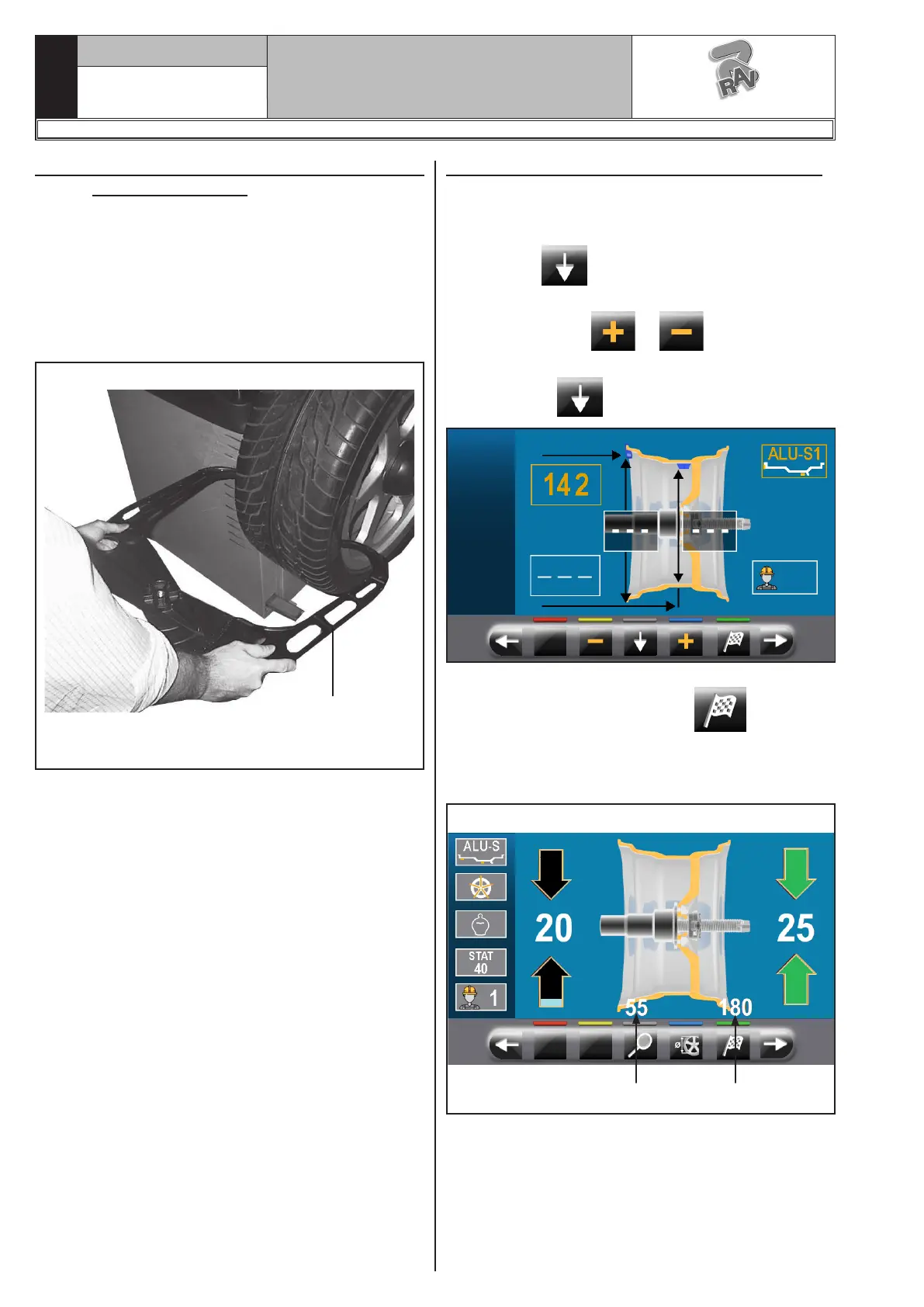
The entry of diameter, width and distance measures
of the machine rim must be performed manually. The
reading of these measures can be made as follows:
- visual readout on caliper graduated scale (distance);
- values readout on rim (diameter and width);
- width value detection with manual caliper (width)
(see Fig. 59).
Fig. 59
MANUAL CALIPER.
Width manual
detection
14.6.1 Manual setting of wheel dimensions
In case the operator wants to edit and/or manually
enter the wheel dimensions, proceed as follows:
- from the desired measurement mode screen, press
the button until highlighting with yellow the
field to modify/edit;
- press the buttons or until reaching the
desired value;
- press button to shift to the next value.
After entering all the required measures, you can spin
the wheel by pressing the button and closing
the protective guard.
In case the distance-diameter caliper was disabled, the
displayed page for detected unbalance is as follows:
Fig. 60
1 2
In this screen page,in addition to the information of
the detected unbalance, there are measurements in
mm where you must remove the gauge arm (Fig. 60
ref._1-2) to apply the weights inside the rim.
1297-M058-00
G3.150 - GP3.150 - G3.150S - GP3.150S - G3.150WS - GP3.150WS - G3.150WSPLUS - GP3.150WSPLUS - G3.150SA - G3.150WSA
RAVAGLIOLI S.p.A.



 To Next Page