INSTRUCTION, USE AND
MAINTENANCE MANUAL
EN
Page 53 of 91
SPLIT
program
SPOKES
program
ECO-WEIGHT
Program
MATCHING
program
IF THE GUARD AND REPO-
SITIONING FUNCTION ARE
DISABLED, ON THE BUTTON IN
POS. 7 FIG. 56, YOU WILL SEE
THE ICON THAT WILL AL-
LOW WHEEL SPIN WITHOUT
RETURNING TO THE PREVIOUS
PAGE. THE POSITIONING OF
THE WHEEL FOR THE APPLICA-
TION OF THE WEIGHTS MUST
BE DONE MANUALLY.
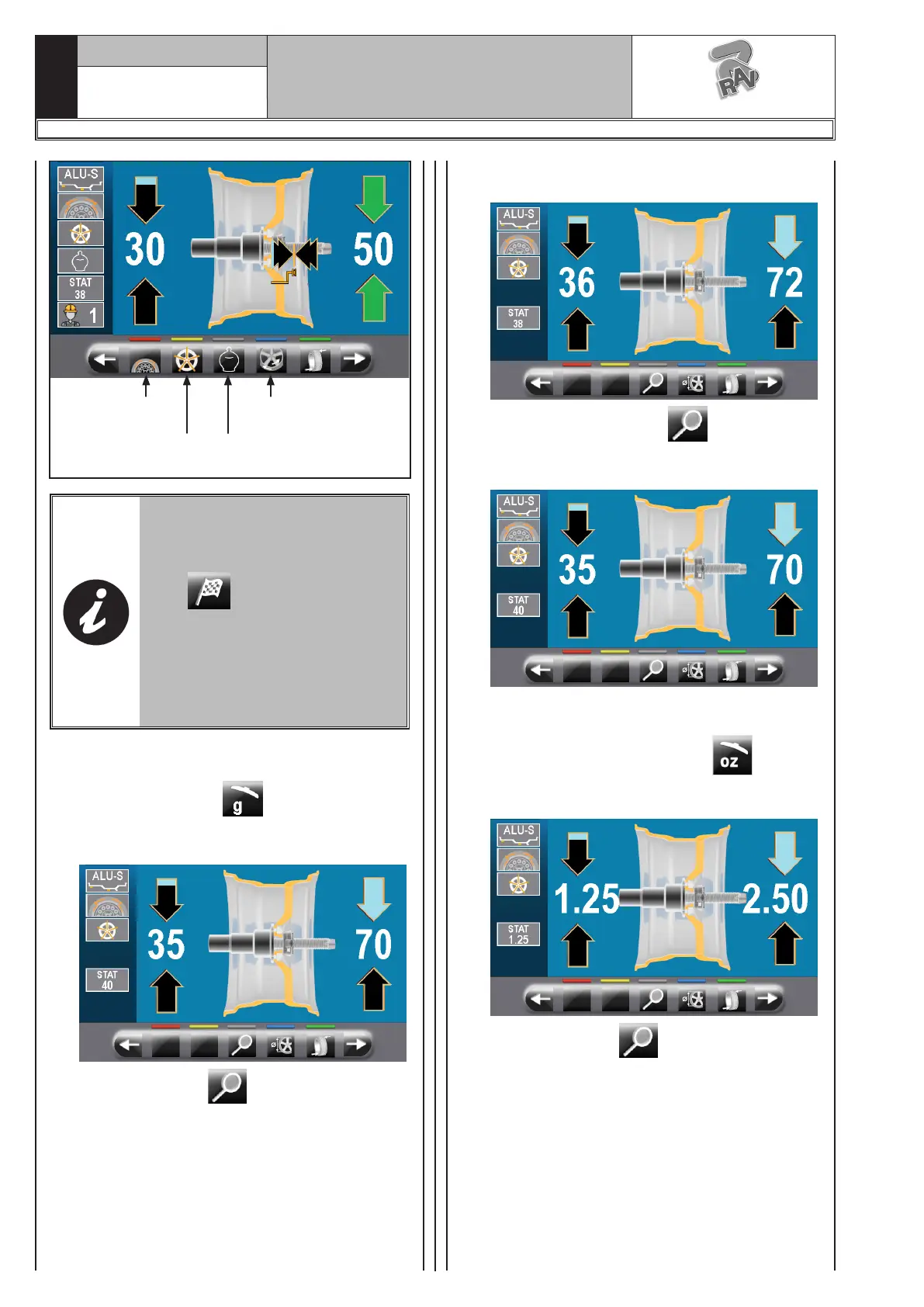
8a – Display of the weights in GRAMS
Set the unit of measurement for weights
display to GRAMS (see Par. 15.1 “Op-
tions menu”).
On the following screen page:
press the button to display the weight
with maximum resolution (1g) to be fitted on
the wheel, expressed in grams.
The following screen will appear on the moni-
tor:
Press again the button to display the
approximated weight to be fitted to the wheel,
expressed in grams.
7b – Display of the weights in OUNCES/GRAMS
Set the unit of measurement for weights
display to OUNCES/GRAMS (see Par.
15.1 “Options menu”).
On the following screen page:
press the button to display the weight
with maximum resolution (0.05 oz) to be fitted
on the wheel, expressed in ounces.
The following screen will appear on the moni-
tor:
1297-M058-00
G3.150 - GP3.150 - G3.150S - GP3.150S - G3.150WS - GP3.150WS - G3.150WSPLUS - GP3.150WSPLUS - G3.150SA - G3.150WSA
RAVAGLIOLI S.p.A.



 To Next Page