RAY User Guide Using RAY
58
B
BB
Book
ookook
ooks
ss
s
C
CC
Catalog
atalogatalog
atalog
Home Menu
6 Library Menu
Number 9
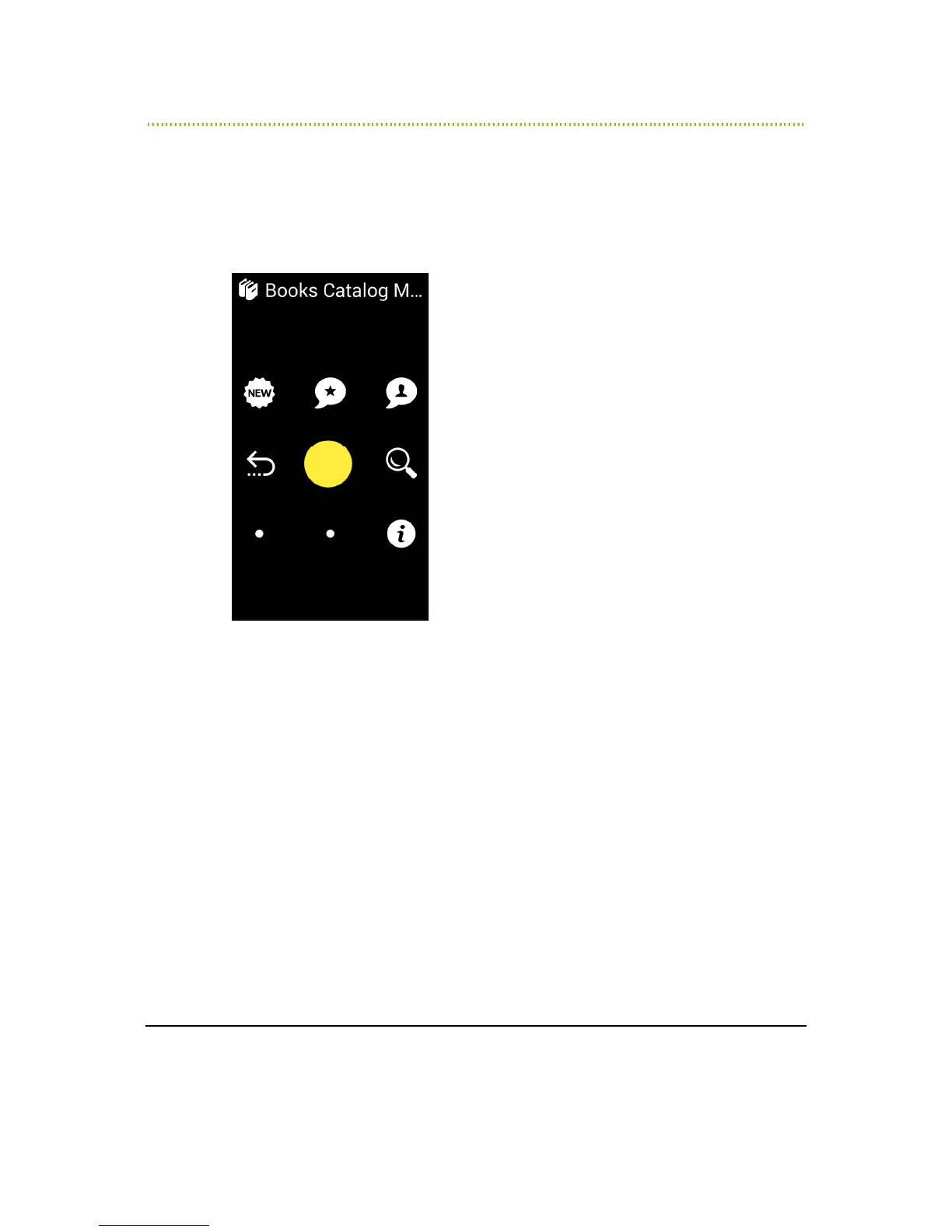
The Books Catalog Menu provides various options for downloading books, as
described below:
Figure 23: Books Catalog Menu
•
Number 4 – Previous Screen
•
Number 1 – New Books: Enables you to browse through a list of new books
in the library that you can download.
•
Number 2 – Recommended Books: Enables to browse through a list of
books selected by RAY librarian.
•
Number 3 – most popular Books: Enables to browse through a list of
books selected by other readers.
•
Number 6 – Search: Enables you to type in a term in order to search for
books.
•
Number 9 – Books in download: Enables you to get a list of books who are
in download or waiting to be downloaded to the device. There are cases in
which the books found in the library are not yet available on-line for direct
download.
•
Number 7 & 8 options are empty.



 To Next Page