6.3c95/c97/c125/c127/e95/e97/
e125/e127Controls
D12 276 -1
1
2 3
4
5
6
7
11 10
8
9
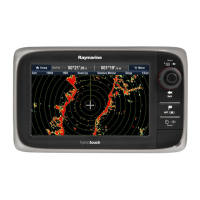
1.Touchscreen—youcantouchthescreentooperatemany
commonfunctions,includingallmenuoperations(HybridT ouch
multifunctiondisplaysonly).
2.Home—Presstoreturntothehomescreen.
3.Menu—accessesmenus.Pressagaintoclosemenus.
4.UniControl—providesajoystickandrotarycontrolandanOK
buttonforusingmenusandapplications.
5.Back—presstoreturntoapreviousmenuordialoglevel.
6.RangeIn/Out—Pressminus(-)torangeoutandplus(+)to
rangein
7.WPT/MOB—pressandreleasetoaccessthewaypoint
options.Pressagaintoplaceawaypoint.Pressandholdto
placeaManOverboard(MOB)markeratyourcurrentposition.
8.Power—pressoncetoswitchtheunitON.Oncepoweredon,
pressthePowerbuttonagaintoadjustthebrightness,access
thepowercontrolsforexternaldevices,andaccesstheautopilot
controls.PressandholdtoswitchtheunitOFF .
9.Chartcardslots—openthecarddoortoinsertorremove
MicroSDcards.Thereare2cardslots(labelled1and2),used
forelectronicchartsandarchivingwaypoint,routeandtrack
data.
10.Standby(Auto)—Presstodisengageintegratedautopilot,
pressandholdtoactivateAutomodeonintegratedautopilot.
11.SwitchActivePane—Presstoswitchactivedatapane..
UniControl
1.Rotary—usethistoselectmenuitems,movetheon-screen
cursor,andadjusttherangeinthechartandradarapplications.
2.Joystick—usethistomovethecursorpositioninapplications,
panup,down,leftandrightinthechart,weatherandshnder
applicationsortocyclethroughdatapagesinthedata
application.
3.OKbutton—pushtheendofthejoysticktoconrmaselection
orentry.
Touchicons
YoucanusetheBACKandCLOSEiconstomovebetweenthe
differentlevelsofmenusavailableineachapplication.
ThisonlyappliestoHybridTouchdisplays.
Back—gobackonelevel(sameeffectasBACKbutton).
Close—closeallopenmenus(sameeffectasholdingtheMENU
buttonfor3seconds).
Usingthecursor
Thecursorisusedtomovearoundthescreen.
Thecursorappearsonthescreenasawhitecross.
Ifthecursorhasnotbeenmovedforashortperiodoftime,
itchangestoacirclewithacrossinit,tomakeiteasierto
locateonthescreen.
Gettingstarted
59


 To Next Page

