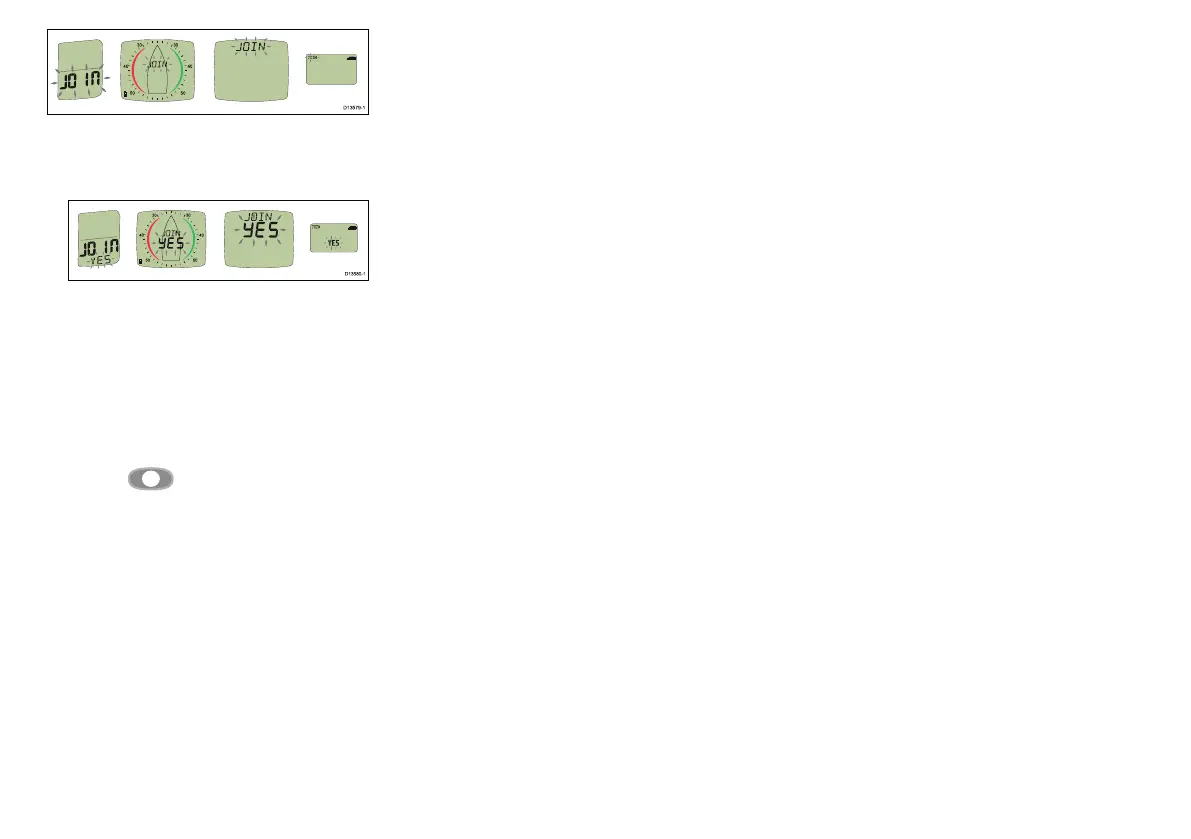
i.Pressanybuttononadisplaythathas‘JOIN’
ashingonscreen.
TheDisplaywillshow‘JOINYES’
ii.Conrmbypressinganybuttononthesame
display.
Thedisplaywillshow‘DONE’.
Ifconrmationisnotcompletedwithin25seconds,
‘FAIL’willbeshownwhichmeansthedisplayhas
notjoinedthenetwork.
Whenthecountdowniscomplete,thechosen
displayreturnstotheAutonetworkingpage.Press
andholdthe
Setupbuttonfor2secondsto
returntonormaloperation.
11.T estthesystem:
i.Switchoffthechosendisplay.
ii.Switchonthechosendisplay.
Ifsomeunitsdonotpowerup,checkthatallnew
unitsarewithin300mm(11.8in)ofthechosen
displayandifrequired,areconnectedtoapower
source.
12.Repeatthestepsaboveuntilallunitshavejoined
thenetwork.
13.Ifyouarereplacingolderunits,removethemfrom
thevessel.
14.Ensureallunitsareworkingcorrectlybefore
mountingthem.
ProductidenticationonMicronet
TheMicro-T alkgatewayisidentieddifferentlyduring
theAutonetworkingprocessthanwhencheckingthe
HealthpagesfromaMicronetdisplay.
DuringAutonetworkingthegatewayisidentiedasan
NMEA2000device(i.e.:2000,N2000,orN2000)
WhencheckingtheHealthpagesfromaMicronet
displaythegatewayisidentiedasType7device(i.e:
TYP7,TYPE7orTYPE7.
24



 To Next Page