P
ossiblecausesPossiblesolutions
T
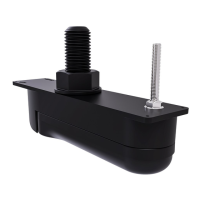
ransducerlocation
•Checkthatthetransducerhasbeeninstalledinaccordance
withtheinstructionsprovidedwiththetransducer.
•Ifatransommounttransducerismountedtoohighon
thetransomitmaybeliftingoutofthewater,checkthat
thetransducerfaceisfullysubmergedwhenplaningand
turning.
T
ransducerkicked-up
Ifthetransducerhasakick-upmechanism,checkthatithas
notkickedupduetohittinganobject.
DamagedorfouledtransducerChecktransducercondition,ensuringitisnotdamagedandis
freefromdebris/fouling.Ifnecessary ,cleanorreplaceyour
transducer.
Aftercleaningorreplacementcoatthetransducerusinga
water-basedanti-foulingpaint.
Damagedtransducercable
Checkthatthetransducercableandconnectionisfreefrom
damageandthattheconnectionsaresecureandfreefrom
corrosion.
T urbulencearoundthetransducer
athigherspeedsmayaffect
transducerperformance
Slowvesselspeedandrecheck.
Interferencefromanother
transducer
1.T urnoffthetransducercausingtheinterference.
2.Repositionthetransducerssotheyarefartherapart.
UnitpowersupplyfaultCheckthevoltagefromthepowersupply ,ifthisistoolowit
canaffectthetransmittingpoweroftheunit.
R esettingthesonarmodule
Y oucanusetheresetfunctiononacompatibleRaymarinemultifunctiondisplaytorestorethesonar
moduletoitsfactorydefaultsettings.
Inthefishfinderapplication:
1.Select Menu.
2.Select
Set-up.
3.SelectSounderSet-up.
4.Select
SonarReset.
5.Select Yestoconfirmor Notoaborttheoperation,asappropriate.
Theunitwillnowberesettofactorydefaultsettings.
S ystemchecksandtroubleshooting
41



 To Next Page
 Loading...