Chapter 1: Operation
1
Chapter 1: Operation
1.1 Getting started
This handbook describes how to operate, maintain and install the
Raytheon ST60 Tridata instrument.
Calibration requirement
The ST60 Tridata instrument is calibrated to factory (default) settings
when first installed and must therefore be calibrated before use, in
accordance with the procedures in Chapter 4, Calibration, to ensure
optimum performance on your vessel.
Do NOT use the instrument until the calibration procedures have
been satisfactorily completed.
Displayed information
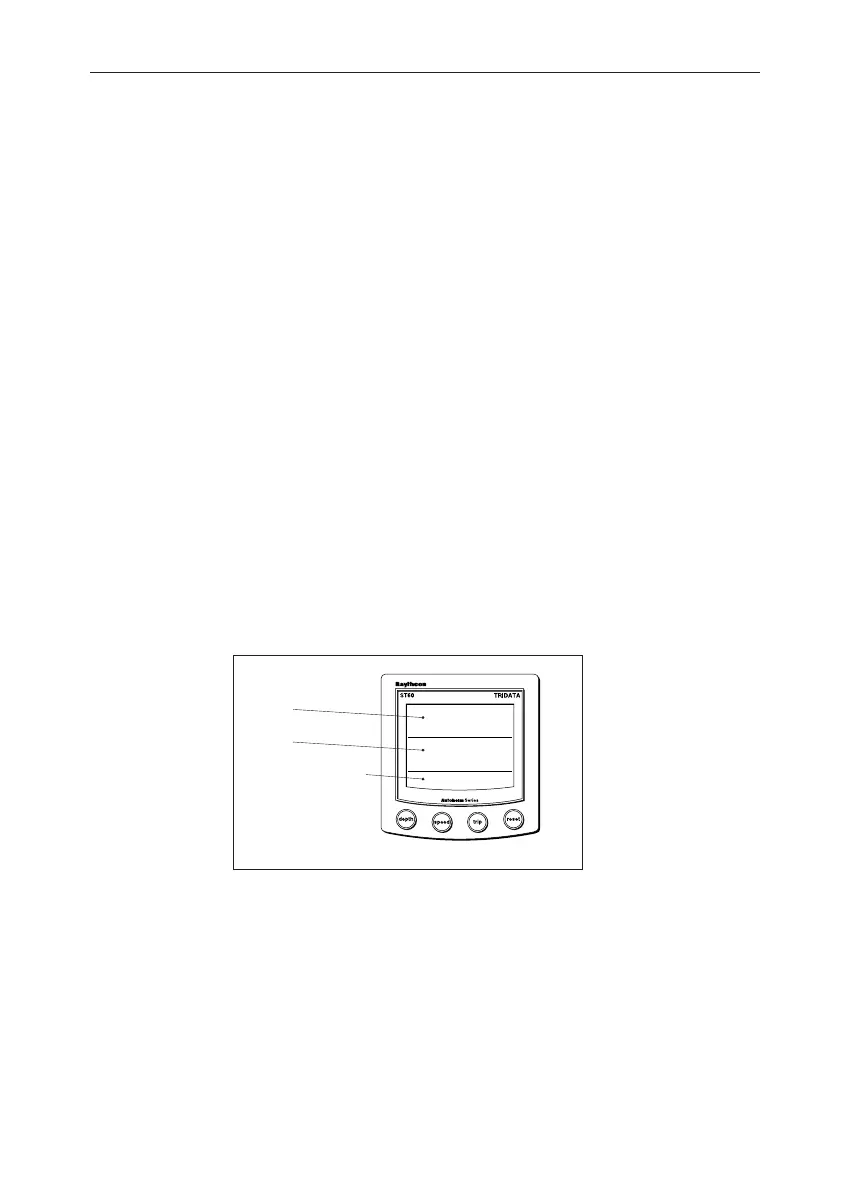
The ST60 Tridata instrument screen is divided into three separate
areas, each of which displays a separate type of information, as shown
in the following illustration.
Depth
Speed
Trip, log, water
temperature & timer
Screen layout
D4424-1
1.2 Normal operation
Use the flow charts in this Chapter to operate your ST60 Tridata
instrument. Flow charts are provided for:
• Using the depth key. This gives access to current depth
information. On master instruments, this also gives access to depth
alarm threshold information, and allows you to set the alarm
thresholds.
040_2c01.p65 09/08/99, 09:311


 To Next Page