Chapter 3: Installation
19
D4343-1
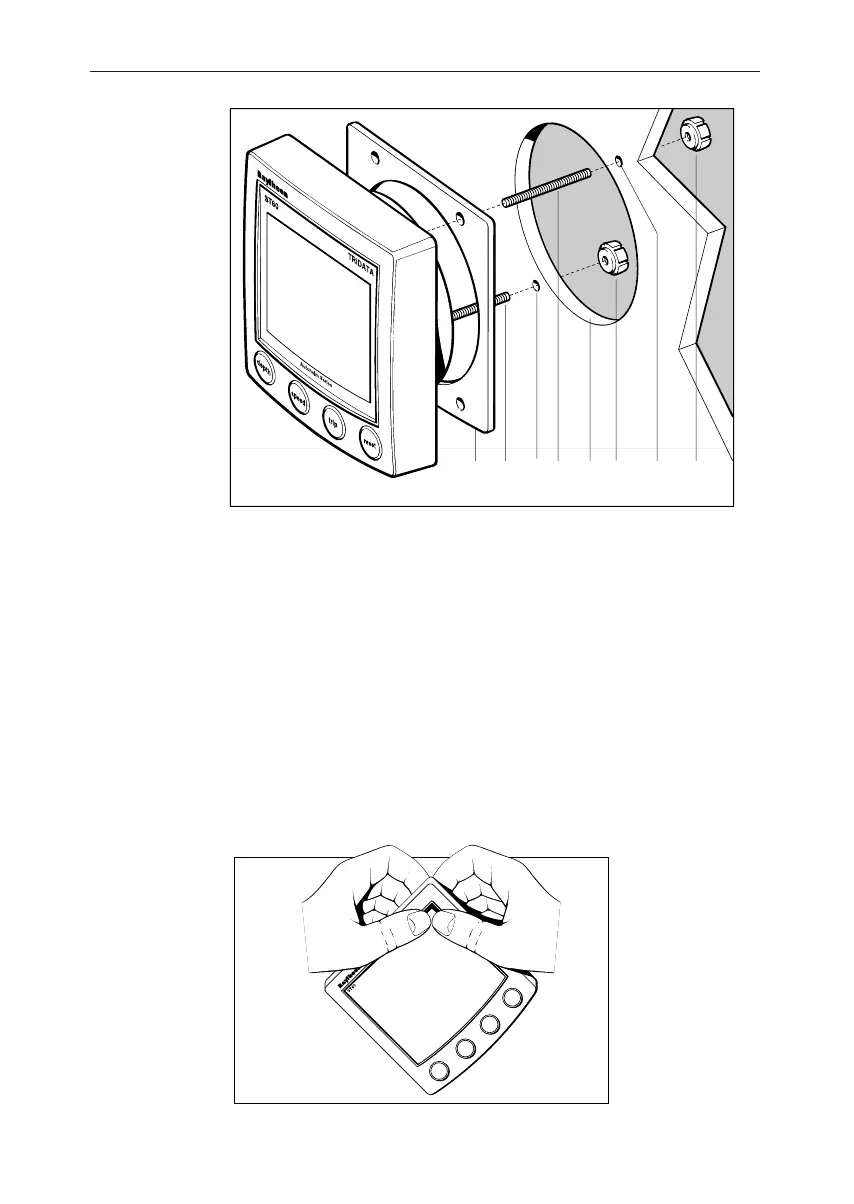
Surface mounting
11223455
Flush mounting
The Flush Mounting Kit uses a low-profile bezel to reduce the fitted
profile of the instrument, to approximately 6 mm above the panel
fascia.
Fitting the low-profile bezelFitting the low-profile bezel
Fitting the low-profile bezelFitting the low-profile bezel
Fitting the low-profile bezel
In order to flush-mount your ST60 instrument, you must first replace
the standard bezel with the low-profile bezel as follows:
1. Hold the instrument in both hands with the display towards you.
2. Using both thumbs, gently press an upper corner of the instrument
from the bezel, then remove the bezel from the instrument. Retain
the rubber keypad which is released when the bezel is removed.
D4537-1
040_2c03.p65 09/08/99, 09:3219


 To Next Page