Chapter 1: Operation
5
Trip
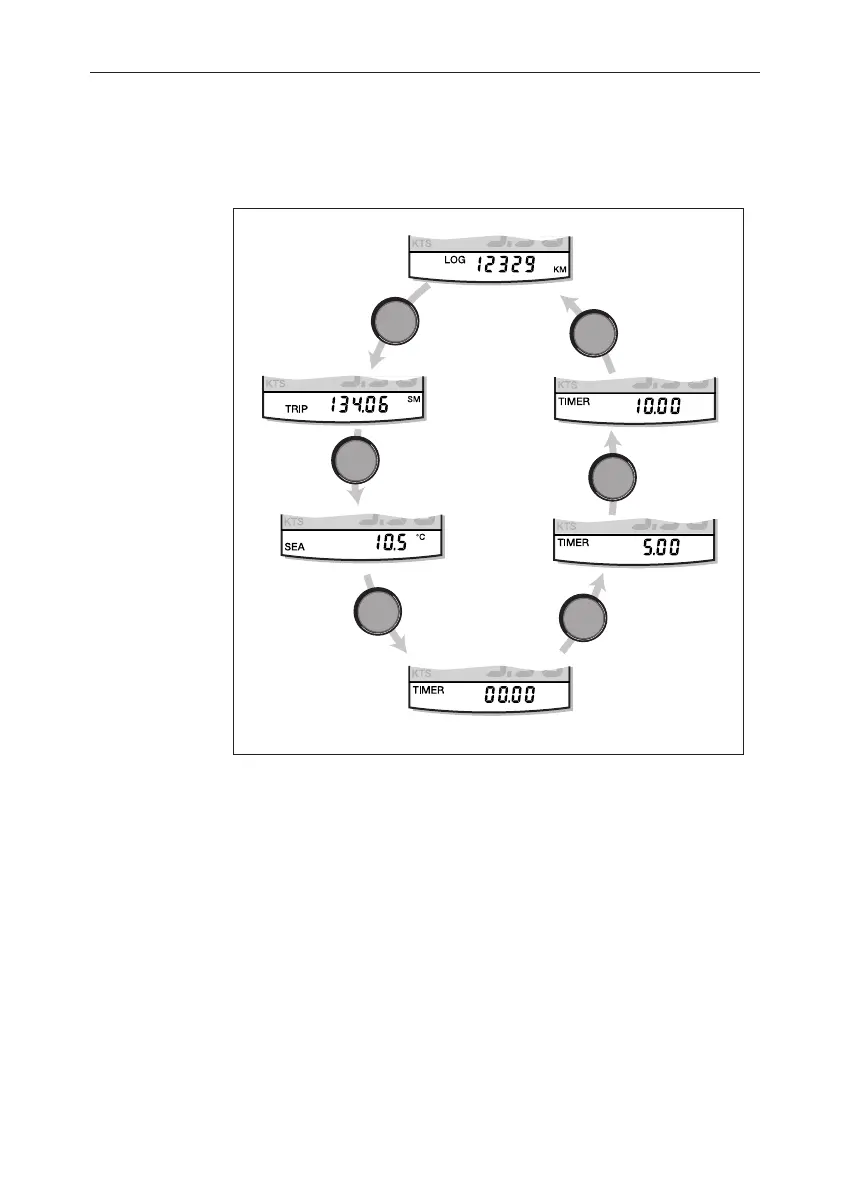
The trip key gives access to log, trip, water temperature and timer
displays, as shown in the Using the
trip
key illustration.
trip
trip
trip
trip
Using the trip key
D4415-1
Log
Trip
Water
temperature
Count-up timer
10 minute
race start
timer
5 minute
race start
timer
trip
trip
Log
The Log screen shows the total distance covered by the vessel since the
instrument was fitted.
Trip screen
The trip screen shows the distance covered since the trip value was last
reset.
The trip value is reset automatically at power-up, and if the instrument
is operating as a master, the trip value can also be reset manually by
pressing the reset key for 3 seconds.
040_2c01.p65 09/08/99, 09:315


 To Next Page