30
ST60 Tridata Instrument Owner’s Handbook
Depth offset
WARNING:
The use of incorrect offset values could result in misleading depth
information being displayed with a consequent risk of running
aground.
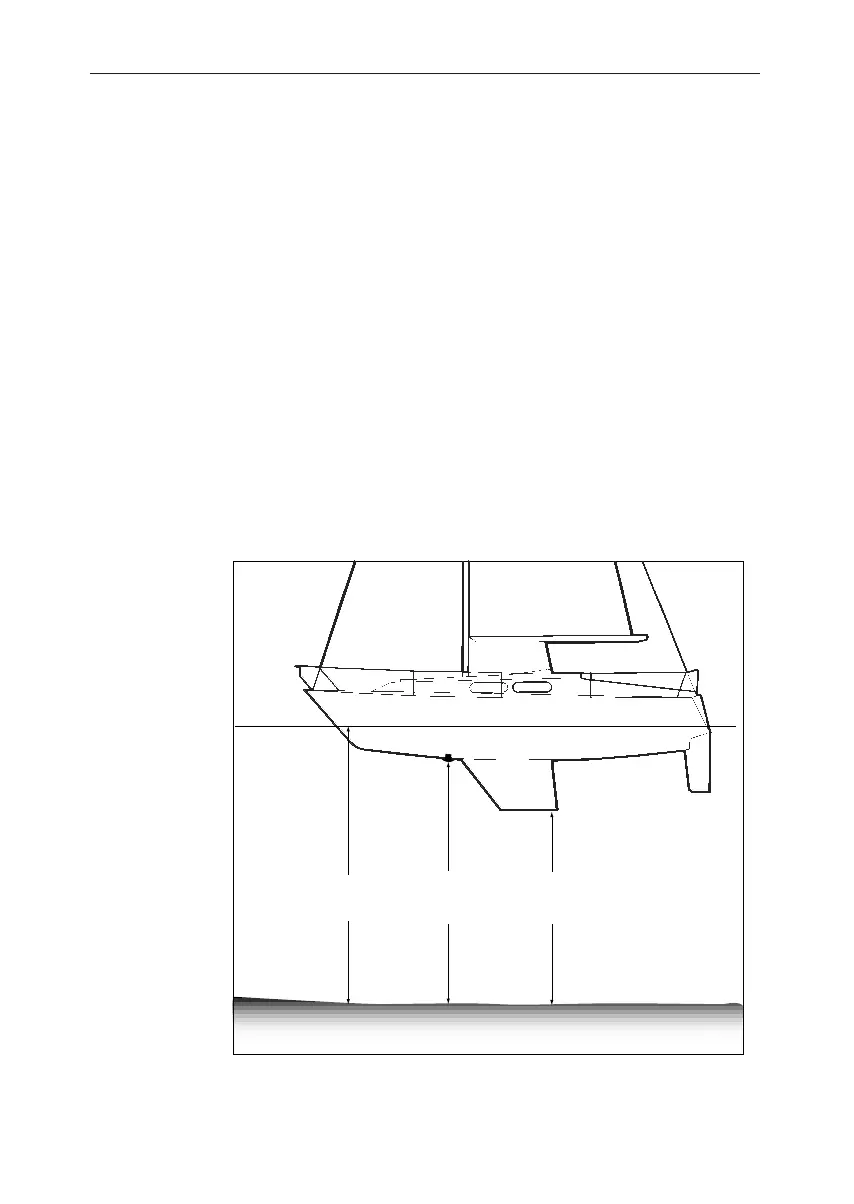
Depths are measured from the transducer to the sea bed. However, you
can use the depth offset screen to apply offsets to this distance, so that
the displayed depth reading represents either the depth from the keel or
the depth from the water line. In order to do this, you need to know the
vertical separation between the transducer position and:
• The bottom of the keel.
• The water line.
Use the trip (decrement) and reset (increment) keys to set the
required offset value:
• If you want to display the depth reading from the transducer, set a
value of 0.0.
Offset value
of 0.0
+ve offset
values
-ve offset
values
D4352-2
Depth offsets
• If you want to apply a water line offset, adjust the displayed reading
until the appropriate positive offset value is shown.
040_2c04.p65 09/08/99, 09:3230


 To Next Page