Chapter 4: Calibration 29
2. Press the depth and speed keys for approximately 2 seconds so
that the User calibration entry screen is displayed.
3. Carry out the User calibration procedures for Depth and Speed.
Depth
To calibrate the depth functions:
1. With the User calibration entry screen displayed, press the depth
key.
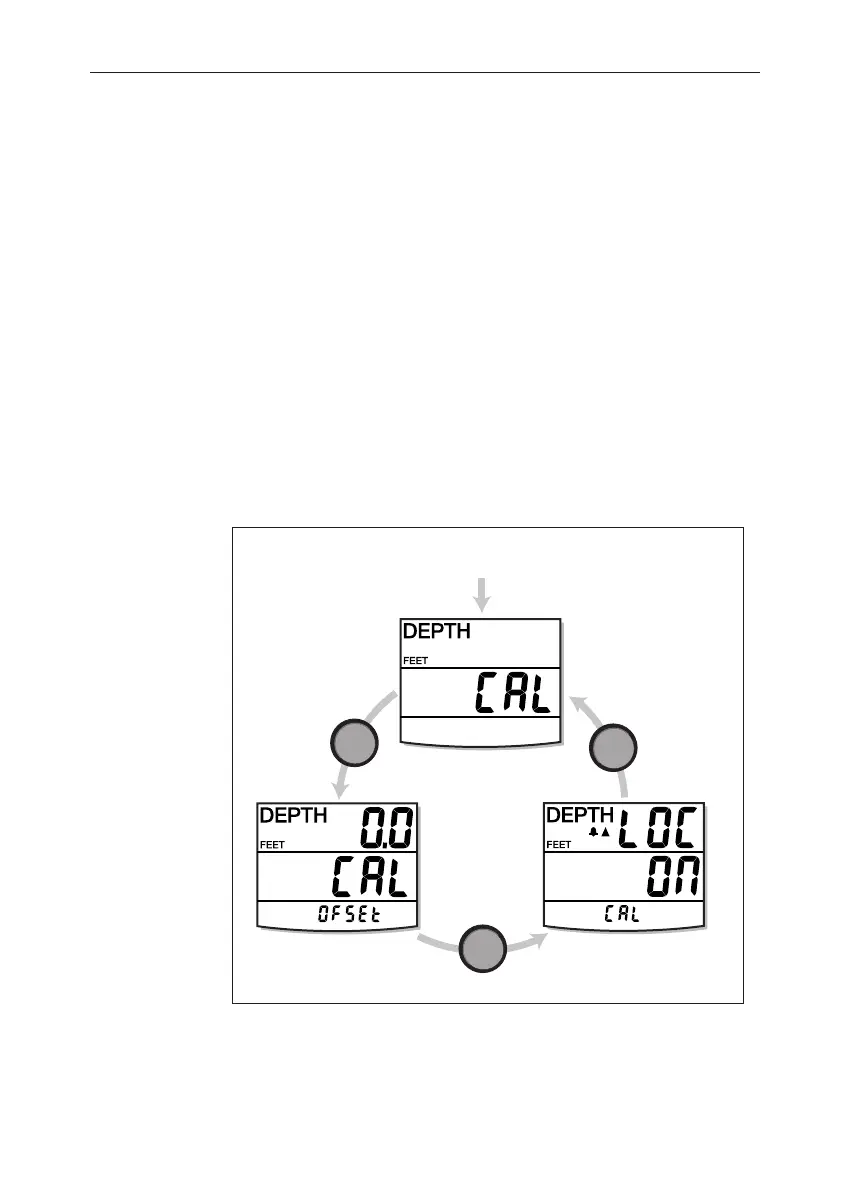
2. Referring to the User calibration - depth illustration, carry out the
calibration procedure. Use the depth key to cycle from screen to
screen and the trip and reset keys to set the required values at
each screen.
Depth units
You can set either FEET or METRES.
User calibration - depth
From User calibration
start screen
depth
depth
depth
Set depth
units
Set depth
offset
Shallow
alarm lock
D4417-1
040_2c04.p65 09/08/99, 09:3229


 To Next Page