Chapter 2: Basic Operation
5
2.3 Using Auto mode
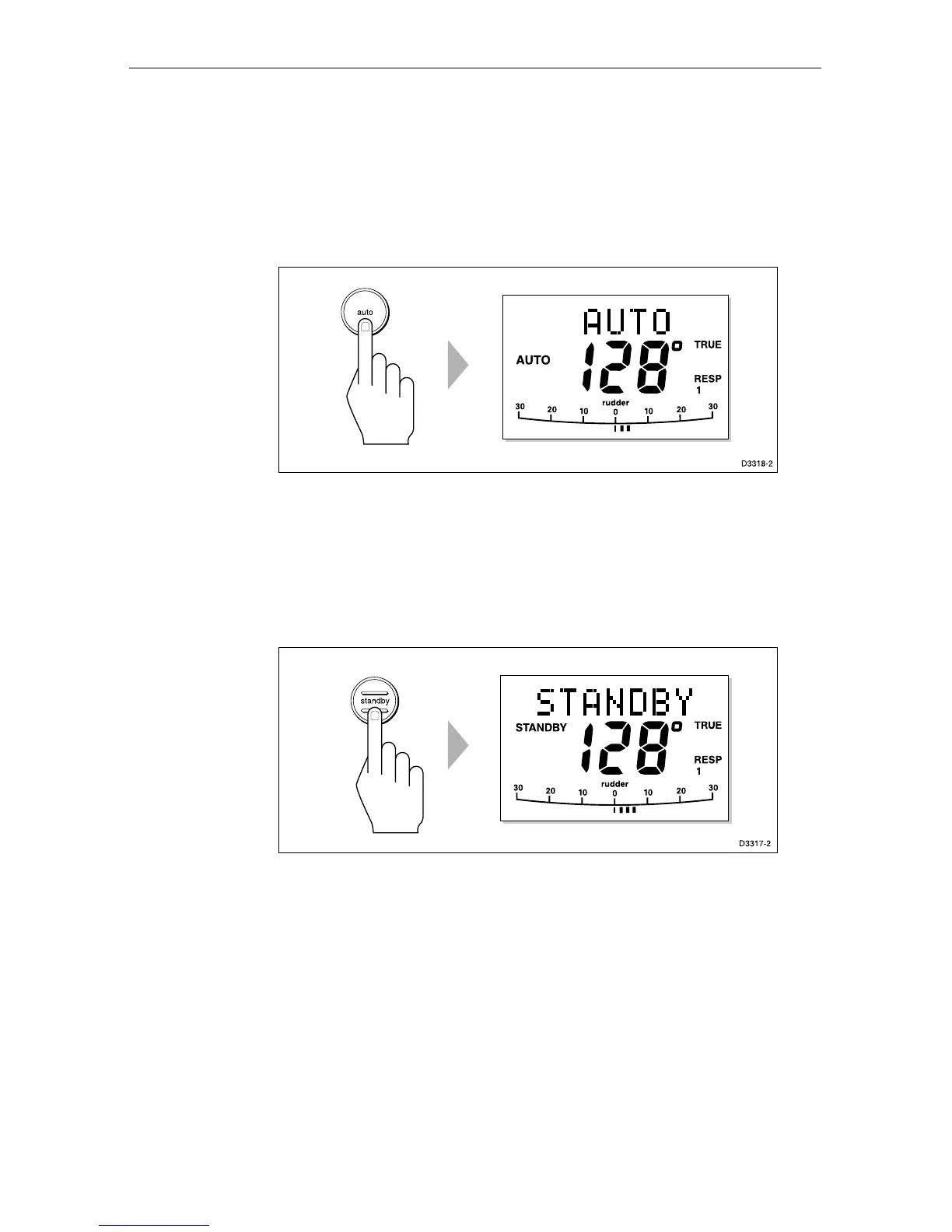
Engaging the Autopilot (Auto)
1. Steady the vessel on the required heading.
2. Press auto.
In Auto mode, the display shows the locked autopilot heading.
Disengaging the autopilot (Standby) to return to
hand steering
Press standby.
In Standby mode, the display shows the vessels current compass
heading.
The previous autopilot heading is memorised and can be recalled
(see Returing to the previous locked heading).
Changing course in Auto mode
The +1 and +10 (starboard) and –1 and –10 (port) keys are used to
change the locked heading, in increments of 1° and 10°, when the
autopilot has control.
Example: a 30° course change to port = press –10 three times.


 To Next Page