Chapter 2: Basic Operation
11
1
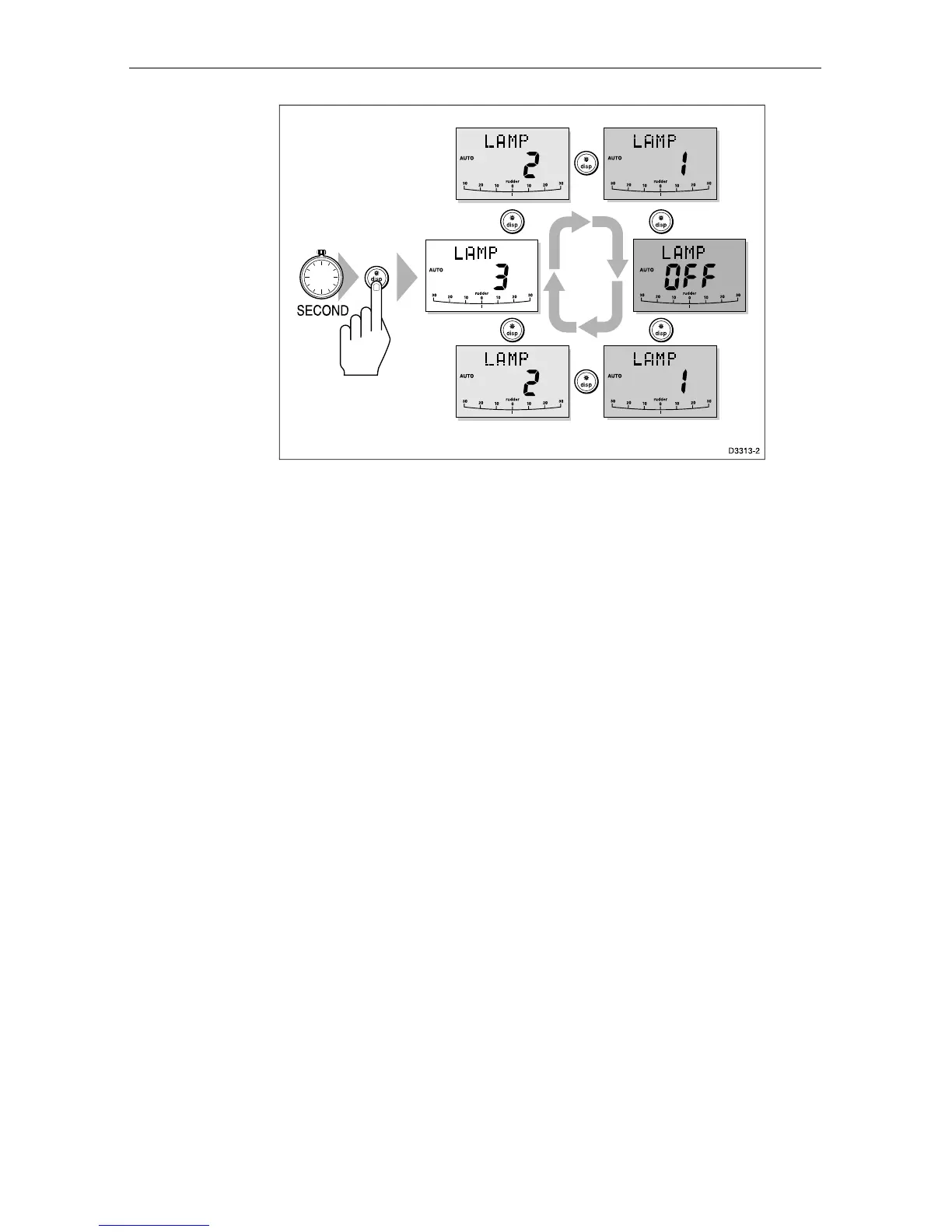
The display times out to normal operation after 10 seconds of keypad
inactivity.
Pressing any other key before the 10 second time-out will select the
mode assigned to that key (for example, auto selects Auto mode,
standby selects Standby mode).
Note: If other SeaTalk instruments or autopilot control units are
connected to SeaTalk, the illumination can be adjusted from these
units.
Any adjustments to the illumination are lost when the unit is
switched off.
The keys are still lit at a courtesy level when the display lighting is off.
2.6 Data pages
The disp key is used to cycle pages of SeaTalk or NMEA data. Once
a Data Page is selected, this page becomes the principle autopilot
display. The autopilot mode displays (Standby, Auto, Track Vane and
Manual) then become pop-ups, and are displayed for 5 seconds when
the autopilot mode is changed or a course change is made.
Press disp to display each Data Page in turn.
When the last Data Page is cycled, the display returns to the current
autopilot mode display (for example, Standby).
To return to a previous Data Page, press disp for 1 second within 2
seconds of displaying a page. You can continue to move backwards
through the Data Page sequence in this way.


 To Next Page