Chapter 2: Basic Operation
7
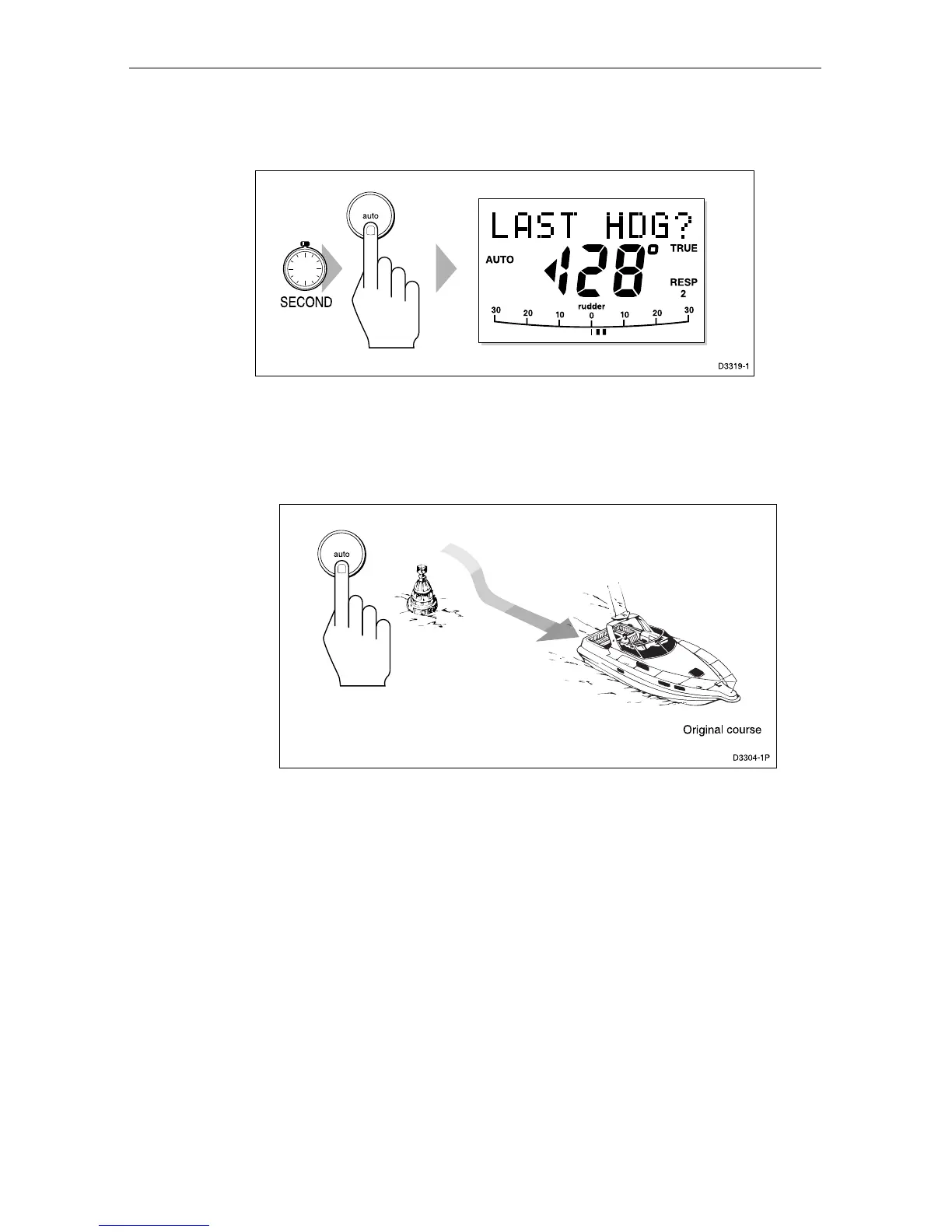
1. Press auto for 1 second. The previous locked heading (LAST
HDG?) is displayed for 10 seconds.
1
Note: A direction-to-steer indicator is displayed to show you the
direction the vessel will turn.
2. To accept this heading, and resume the original course, press auto
once within this 10 second period.
If you do not press auto while the display is flashing, the current
heading will be maintained.
Automatic tack (AutoTack)
The ST6000 Plus has a built in automatic tack facility that turns the
vessel through a predetermined angle (the factory default is 100°) in the
required direction.
AutoTack to starboard
Press the +1 and +10 keys together to tack to starboard.


 To Next Page