V1.0 RayTools AG © Copyright
www.raytools.ch
9
2.5 CCD Adjustment
▪ Luminance Adjustment
Adjust luminance by turning the knurled knob as shown in the following figure.
▪ Sharpness Adjustment
Adjust sharpness by turning around the protruding circle as pointed out.
▪ Field centering
Center the field of view by tightening or loosening the two M4 screws as indicated.
▪ Field Adjustment
As shown below, loosen four M3x6 inner hex screws 1 or 2 laps and loosen the M3x3 jack screw 1-2 laps. Hold the
cylindrical structure (on the sharpness adjuster) and rotate it clockwise to achieve a target angle. After adjustment,
hold the cylindrical structure still and tighten four M3x6 inner hex screws. Tighten the M3x3 jack screw to finish
the field adjustment.
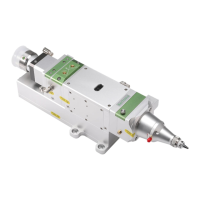
Fig. 2-4 CCD Adjustment



 To Next Page