V1.0 RayTools AG © Copyright
www.raytools.ch
11
3.2 Cover Glass Cleaning
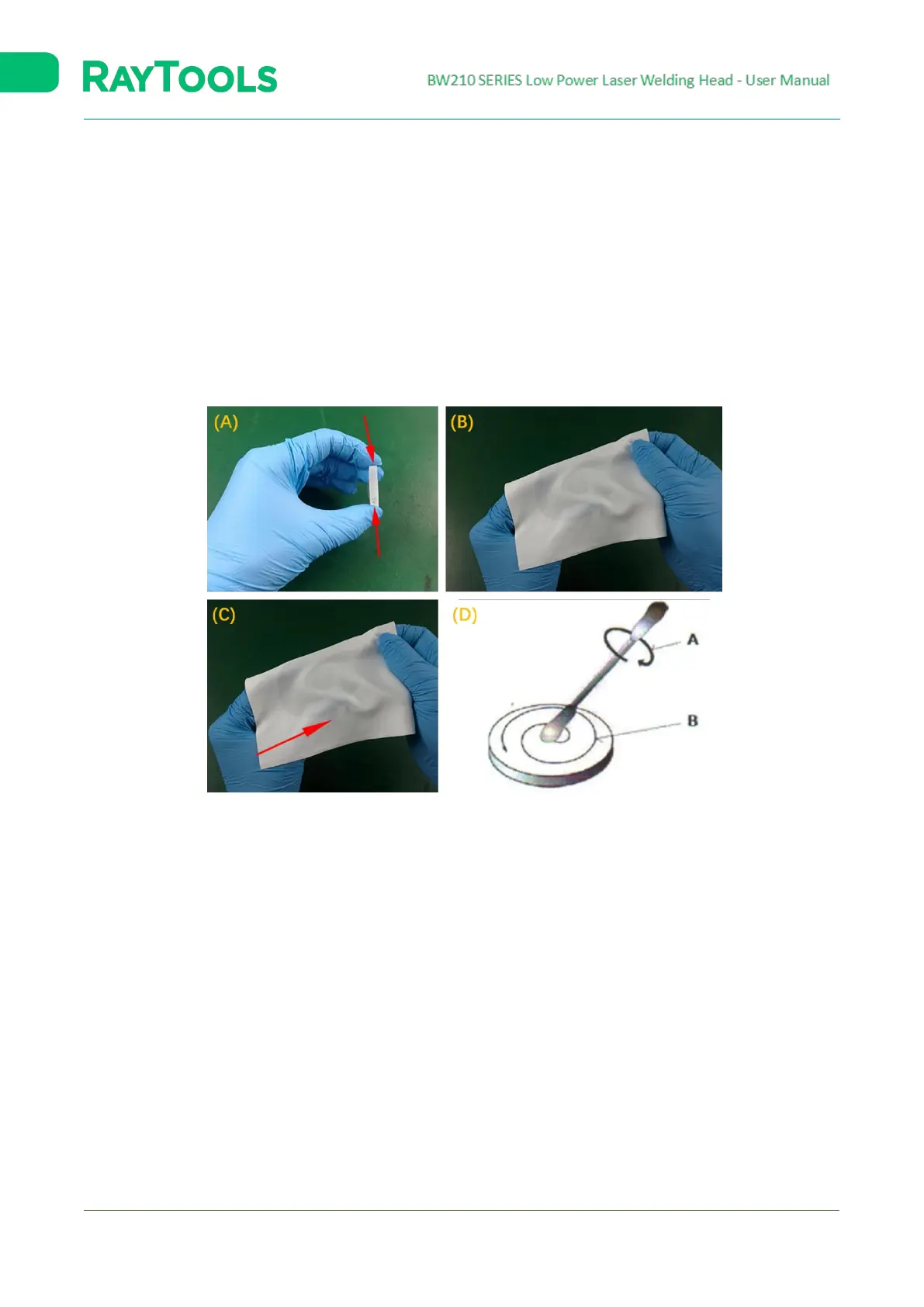
The cover glass should be cleaned regularly according to the steps shown below:
1. Take the side face of the glass with gloves, refer to figure (A). Do not touch the top and bottom faces with fingers;
2. Put the cleanroom wiper on the glass, and use 2-3 drops of lens cleaner, as shown in figure (B);
3. Slowly drag the cleanroom wiper horizontally and ensure no mark. Then, the glass will be clean. This step can be
repeated till it is clean. A new piece of cleanroom wiper shall be used every time. Refer to figure (C);
4. With serious stains, a cleaning swab will be needed. Spray the lens cleaner on the swab, and then use it to clean
the glass. Move the cleaning swab from the inside, anticlockwise, in a circular motion, with gentle force on the
glass surface. Rotate the swab along the vertical axis gently to ensure the effect. Refer to figure (D).
Fig. 3-2 Cover Glass: Cleaning


 To Next Page
 Loading...