V1.0 RayTools AG © Copyright
www.raytools.ch
10
3 Maintenance
3.1 Cover Glass: Installation and Disassembly
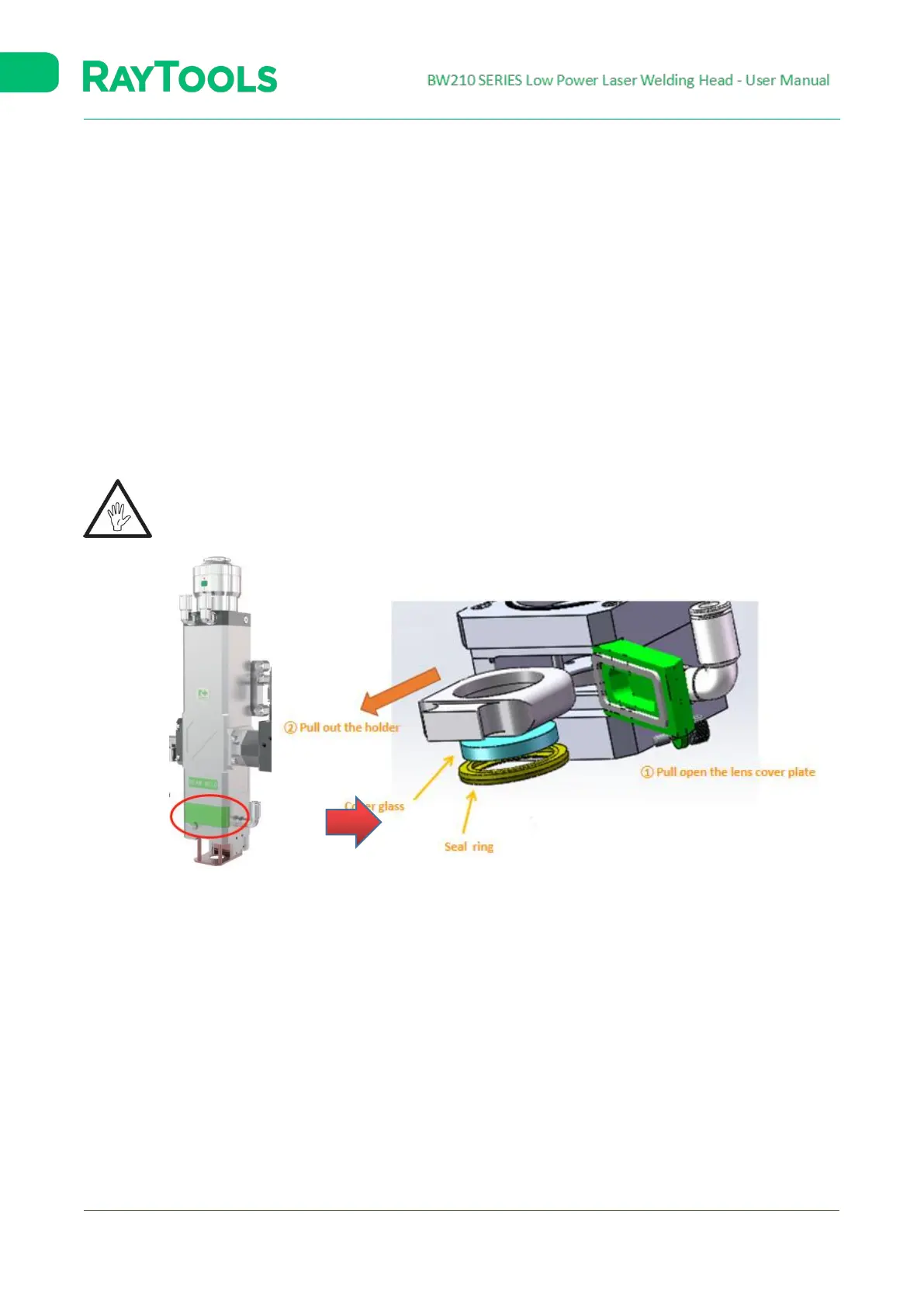
Steps are shown in figure 3-1:
1. Loosen screws;
2. Pull open the lens cover plate;
3. Pull out the cover glass holder;
4. Press the glass with fingers and push out the lens from the holder at the side without the seal ring;
5. Install the cover glass into its holder;
6. Seal the cover glass with the seal ring;
7. Replace the cover glass holder;
8. Tighten screws.
Caution: Do not take out the seal ring on the cover glass with fingernails or any hard tool, which will cause
gas leakage and serious damage to the lenses. Place the seal ring properly to guarantee its use.
Fig. 3-1 Cover Glass: Installation and Disassembly





 To Next Page