Using Your-TV and, Remote
With VCRs: Setting the VCR1 Channel
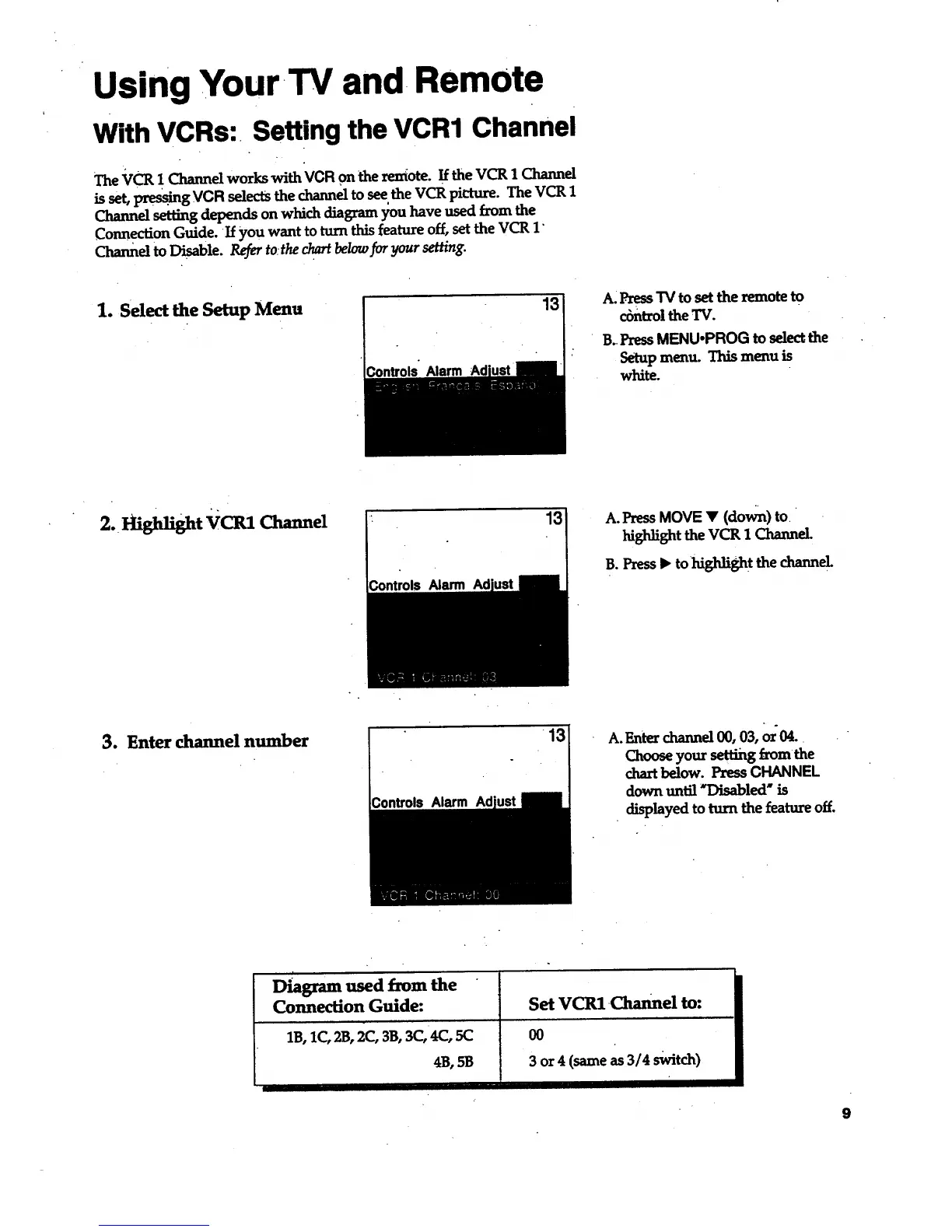
The VCR !Channd works with VCR on theremote.IftheVCR 1 Channd
isset,pre_" g VCR _.lectsthechanneltoseetheVCR picture.The VCR 1
Channel setting depends on which diagram };ou have used from the
Connection Guide. If you want to turn rids feature off, set the VCR 1"
Channel to Disable. Refer to:the chart below for your setting.
1. Select the Setup Mena
Controls" Alarm
13
A: Press TV to set the remote to
cbntrol the TV.
B..PressMENU.PROG to selectthe
Setup menu. This menu is
white.
2. Hi.Might VCR1 Channel
Controls Alarm
13 A. PressMOVE • (down) to.
highlight the VCR 1 Channel.
B. Press • tohighligh t the channel
3. Enter channel number
Controls Alarm Ad
A.Emer channel00, 03,or04..
Chooseyour settingfrom the
chartbelow. PressCHANNEL
downuntil *Disabled" is
displayed toturnthe featureoff.
Diagram used from the
Connection Guide:
1B,1C, 23, 2(:, 3B, 3C,4C, 5(3
4B, 5B
Set VCRl.0tannel to:
O0
3 or 4 (same as 3/4 switch)
ii
9



 To Next Page