Using Advanced Features
Placing channels in Memory (Autoprogramming)
Only channeb 2-13 appear in the TV's memory when you first turrt it on.
The channels available in your area must be programmed into the TV_s
memory when you hook up your TV. Using CHANNEL up or down
allows you to scan through these channels.
You may want to add or delete a few channels if some stations have weak
signals or were off the air when the TV was progranuned. Refer to th_Add
or De/de Channds section be/ow.
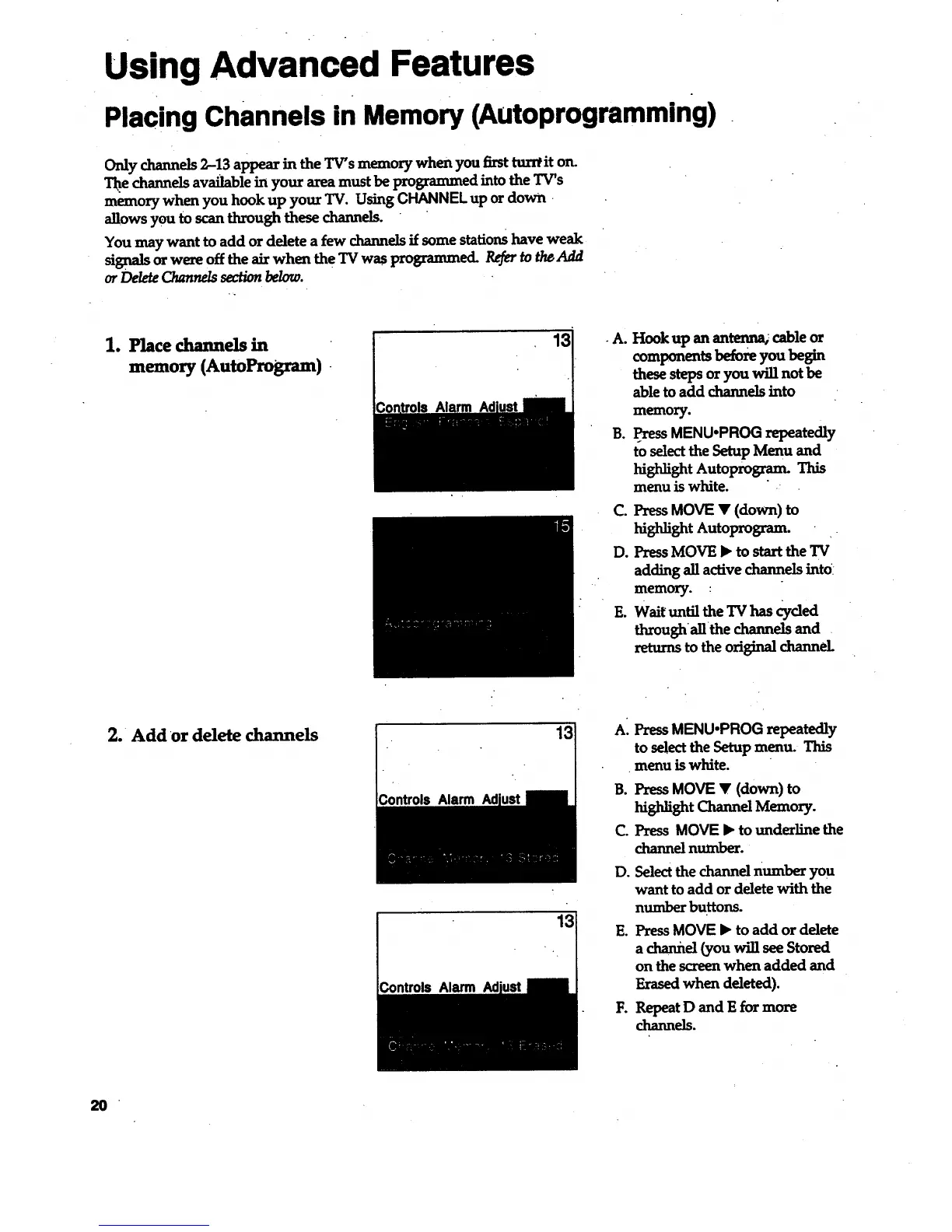
1. Place channels in
memory (AutoProgram)
Alarm
.A.
B.
Do
Hook up an antenna_ cable or
components before you begin
these steps or you will not be
able to add channels into
memory.
PressMENU,PROG repeatedly
to select the Setup Menu and
highlight Autoprogram. This
menu is white. .-
C. Press MOVE • (down) to
highlight Autoprogram.
Press MOVE • to start theTV
adding all active channels intO:
memory. :
E. Wait until the TV has Cycled
thi'oughallthe channels and .
returns to the original channeL
2. Add or delete channels
ControLsAlarm Ad
13
AI PressMENU,PROG repeatedly
to selectthe Setup menu. This
menu is white.
B. PressMOVE V (down) to
highlight Channel Memory.
C. Press MOVE • to underline the
channel number.
D. Selectthe channel number you
want to add or delete with the
numberbuRons.
E. Press MOVE • to add or delete
a channel (you will see Stored
on the screen when added and
Erased when deleted).
1:. Repeat D and E for more
channels.
2O



 To Next Page