Using Advanced Features
Selecting a Language
The on-screen displays in this TV can be displayed in three langua_s: English, French, and Spanish. When you
select a language, most of the displays will be shown on the screen in your preferred language.
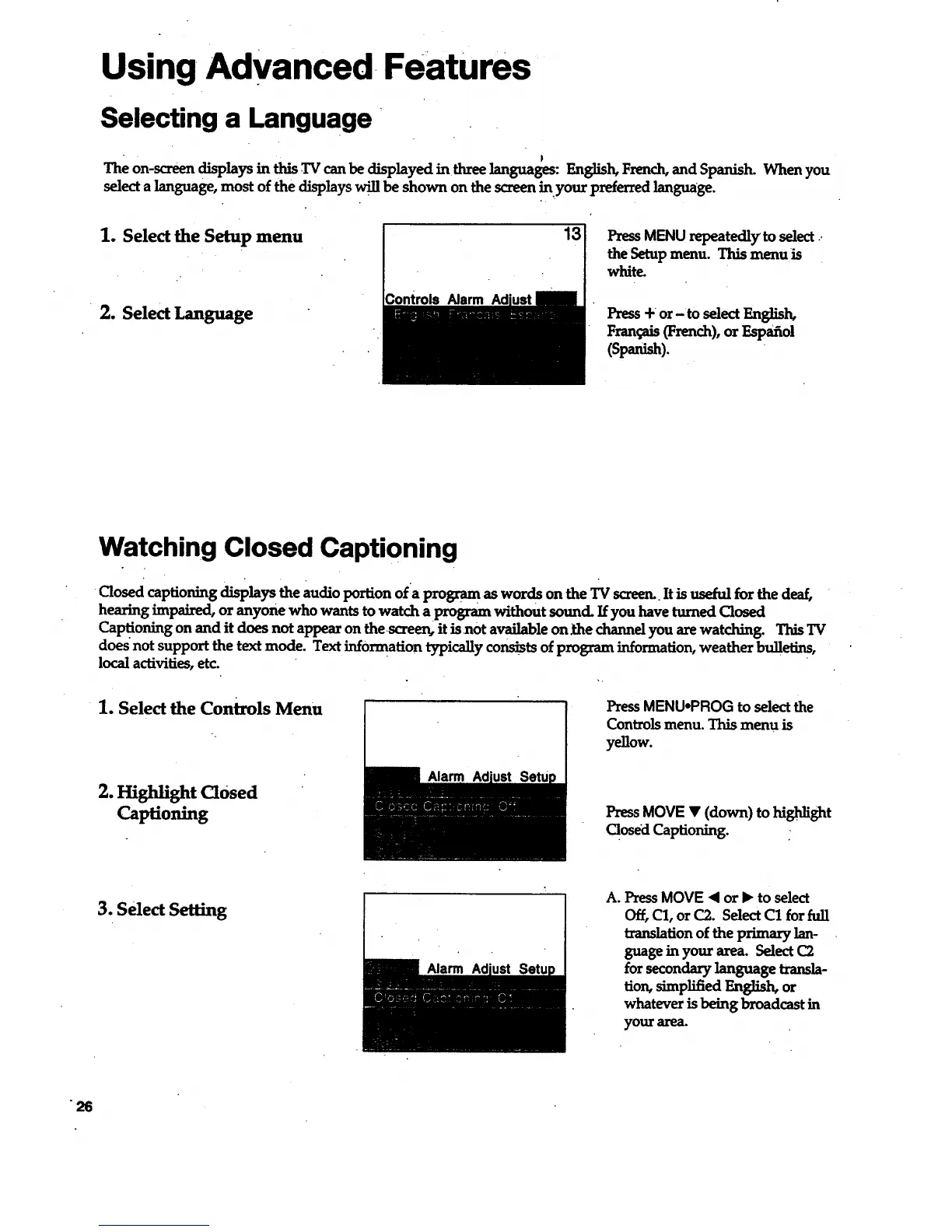
1. Select the Setup menu
2. Select Language
Controls Narm
13
PressMENU repeatedly to select ..
the Setup menu. This menu is
white.
Press + or-to select English,
Fran_Lis(French),orEspaaol
(Span_).
Watching Closed Captioning
Closed captioning displays the audio portion ofa Frogram as words on the TV screen..It is useful for the deaf,
hearing impaired, or anyone who wants to watch aprogram without sound If you have turned Closed
Captioning on and it does not appear on thescreen, it is not available on _the channel you are watching. This TV
does not support the text mode. Text information typically consists of program information, weather bulletins,
local activities, etc.
1. Select the Controls Menu
2. Highlight Closed
Captioning
Alarm
PressMENU-PROG to selectthe
Controls menu. This menu is
yellow.
PressMOVE • (down) to highlight
Closed Captioning.
3. Select Setting
Alarm
A. Press MOVE • or • to select
Off, C1, or C2. Select C1 for fuji
translation of the primary lan-
guage in your area. Select C2
for secondary language transla-
tion, simplified English, or
whatever is being broadcast in
your area.



 To Next Page