Using Advanced Features
Naming,the Channels -
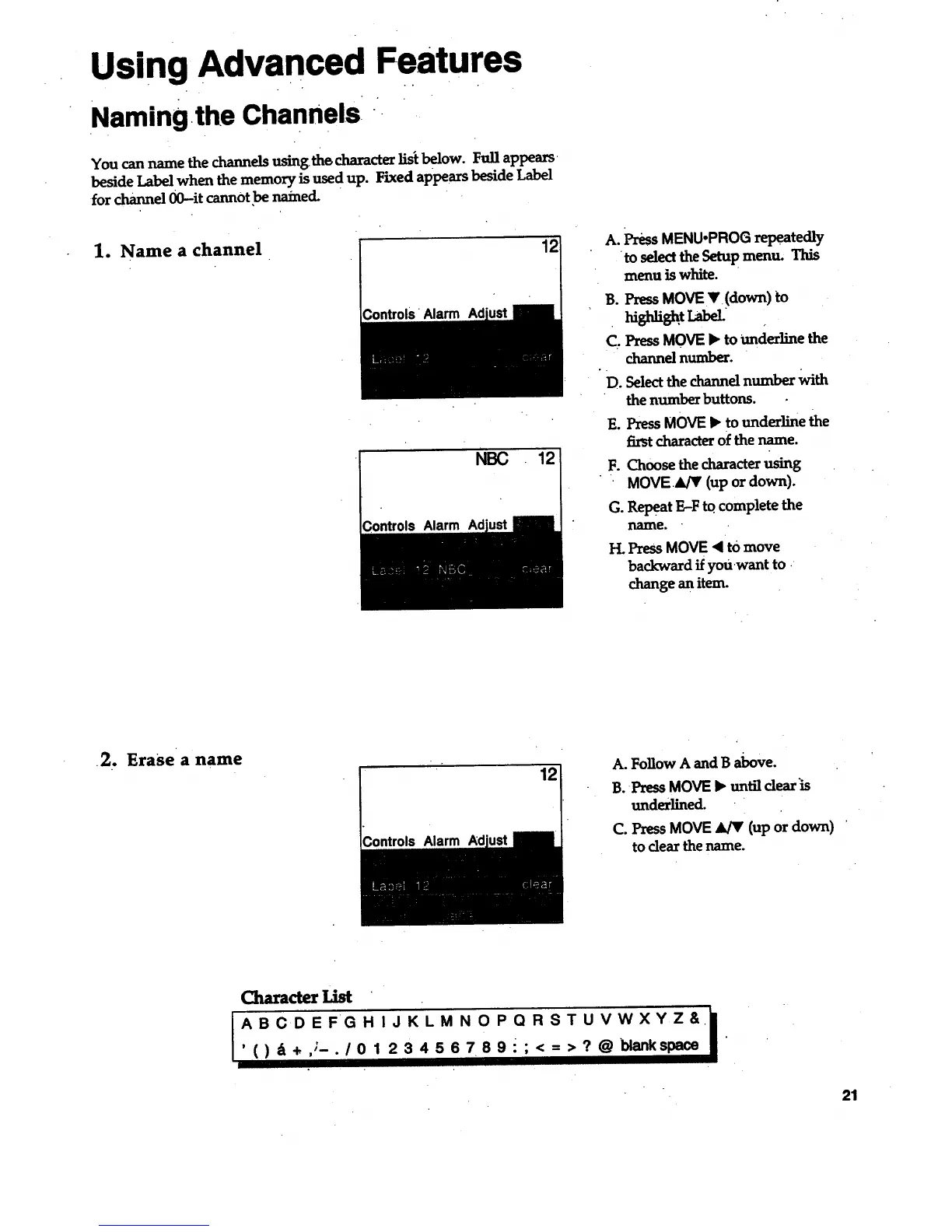
You can name the channels using the character lisi below. Full appears
beside Label when the memory is used up. Fixed appears beside Label
for channel 00--it cannot be named.
1. Name a channel
Alarm
NBC
Alarm Ad
12
A. PressMENU.PROGrepeatedly
to select the Setupmenu, This
menu is white.
B. Press MOVE V !down) to
C. Press MOVE • to underline the
channel number.
D. Select the channel number With
the number buttons.
E. Press MOVE • to underline the
first characteT of the name.
F. Choose the character using
MOVE.&/V (up or down).
G. Rel>eat E-F to.complete the
llanle.
H. Press MOVE '4 to move
backward if youwant to .
change an item.
•2. Erasea name
12
;ontrols Alarm
A. Follow A and B above.
B. Press MOVE • until dear is
underlined-
C. Press MOVE _ (up or down) '
to clear the name.
Character
I " /
ABCDEFGHIJKLM N O PQRSTUVWXYZ&.
,()_+,;_./0123456789 •;<=>?@blankspace •
21



 To Next Page