Using Your TV and Remote
With Remote Buttons
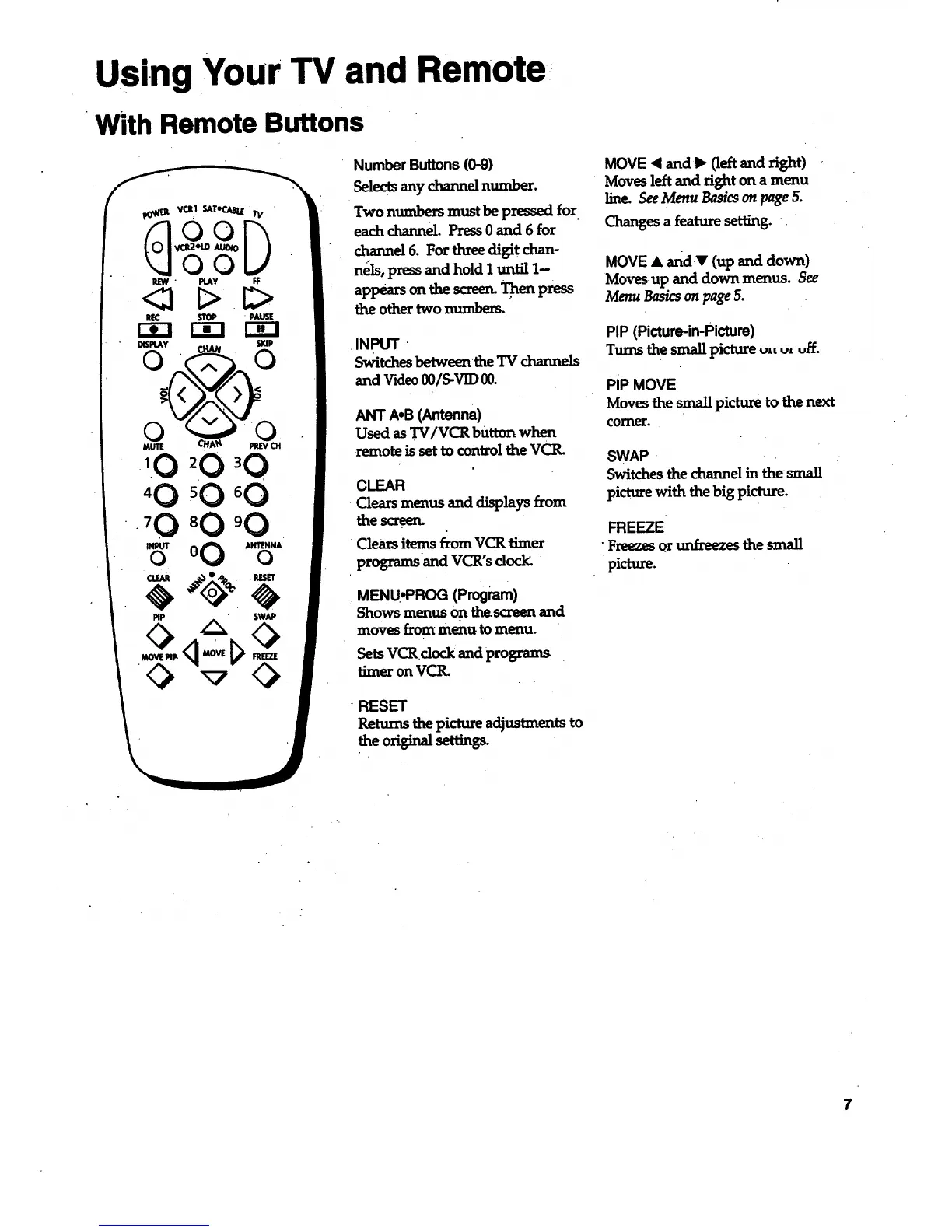
NumberButtons(0-9)
Selectsanychannelnumber.
TWOnumbers must be pressed for
each channel. Press 0 and 6 for
channel 6. For three digit chan-
nels, press and hold I until 1-
appears on the screen.Then press
the other two numbers.
INPUT '
Switches betweenthe'IV channels
and Video O0/S-VID 00.
ANT A.B (Antenna)
Used as TV/VCR button when
remote issettocontrol theVCR.
CLEAR
Clea_ menus and displays from
the screen.
Clears items from VCR timer
programs and VCR's docl_
MENU, PROG (Program)
Shows menus On thescreenand
moves from menu to menu.
Sets VCRdock and programs
timer on VCR.
RESET
Returns the picture adjustments to
the original setting_
MOVE • and I_ (left and right)
Moves left and right on a menu
line. See Menu Basics on page 5.
Changes a feature setting. .
MOVE • andY (up and down)
Movesup and down menus. See
Menu Basics on page 5.
PIP (Picture-in-Picture)
Turns the small picture u==u=uff.
PiP MOVE
Moves the small picture to the next
comer.
SWAP
Switches the channel in the small
picture with the big picture.
FREEZE
•Freezes or unfreezes the small
picture.
7



 To Next Page