UsingYour TV and Remote
With Audio Equipment: Programming and Basic Operation
Refer to the Connection. Book or your Audio equipment owner's manual to hook
up your audio equipment. Your remote controls only RCA audio equipment
such as a radio, CD player, ta_>eplayer, turntable, or amplifier. The
•remote may need to be programmed for your equipment. Use the codes
below or on the sheet packed in with your remote.
Program the remote for
audio equipment
Basic Operation
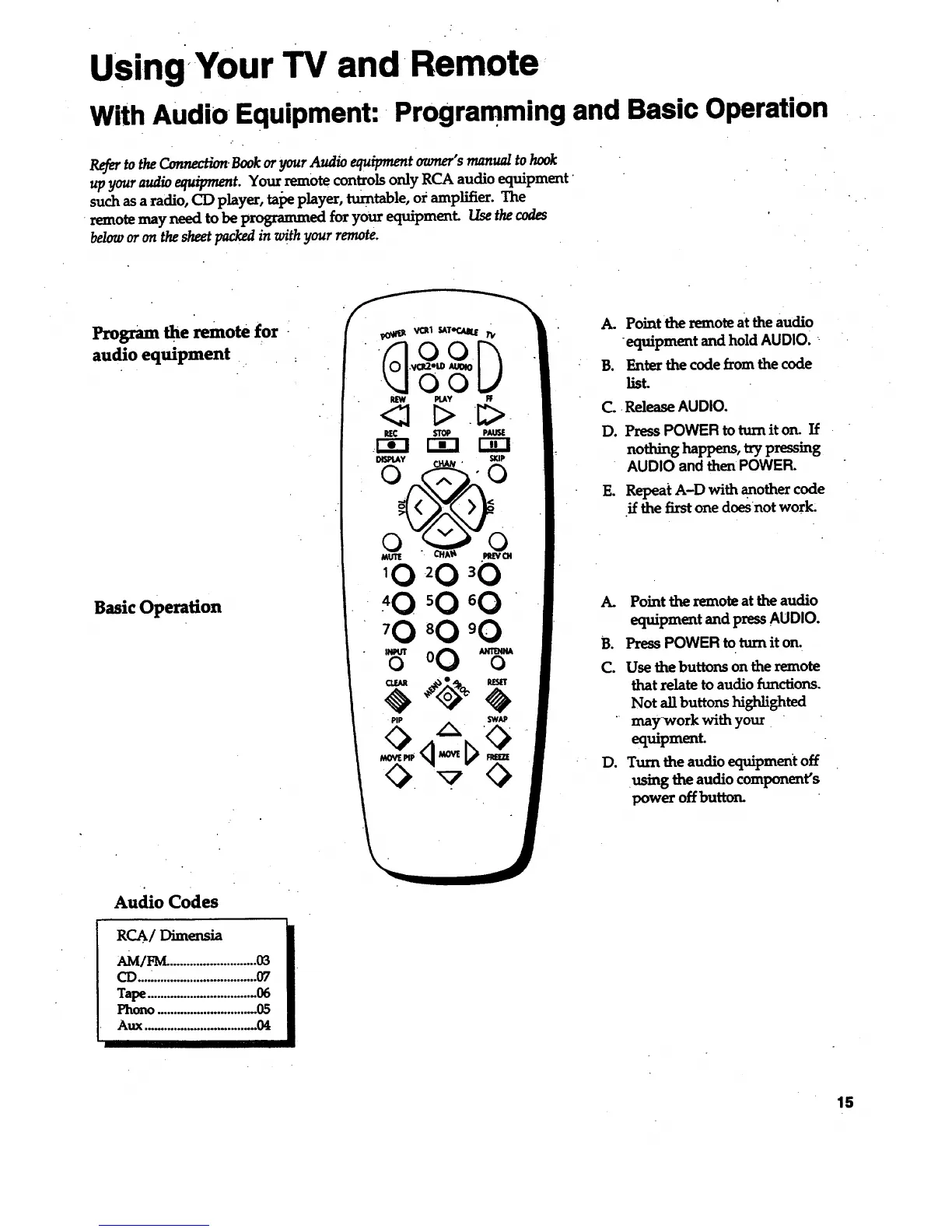
A. Point the remote at the audio
equipment and hold AUDIO.
B. Enter the code from the code
list.
C. Release AUDIO.
D. Press POWER to tum it on. If
nothing happens, try pressing
AUDIO and then POWER.
E. Repeat A-D with another code
if the first one doesnot worl_
A. Point the remote at the audio
equipment and press AUDIO.
B. Press POWER to turn it on.
C. Use the buttons on the remote
that relate to audio functions.
Not allbuttons highlighted
" may workwith your
equipment.
D. Turn the audio equipment off
using the audio component's
powe_ off button.
Audio Codes
acA/Dtmensia
AM/FM. ..........................03
CD....:...............................07
Tape.................................06
Photo ..... . ...... ...o.........,..o.0_
Aux .................................. 04
15



 To Next Page