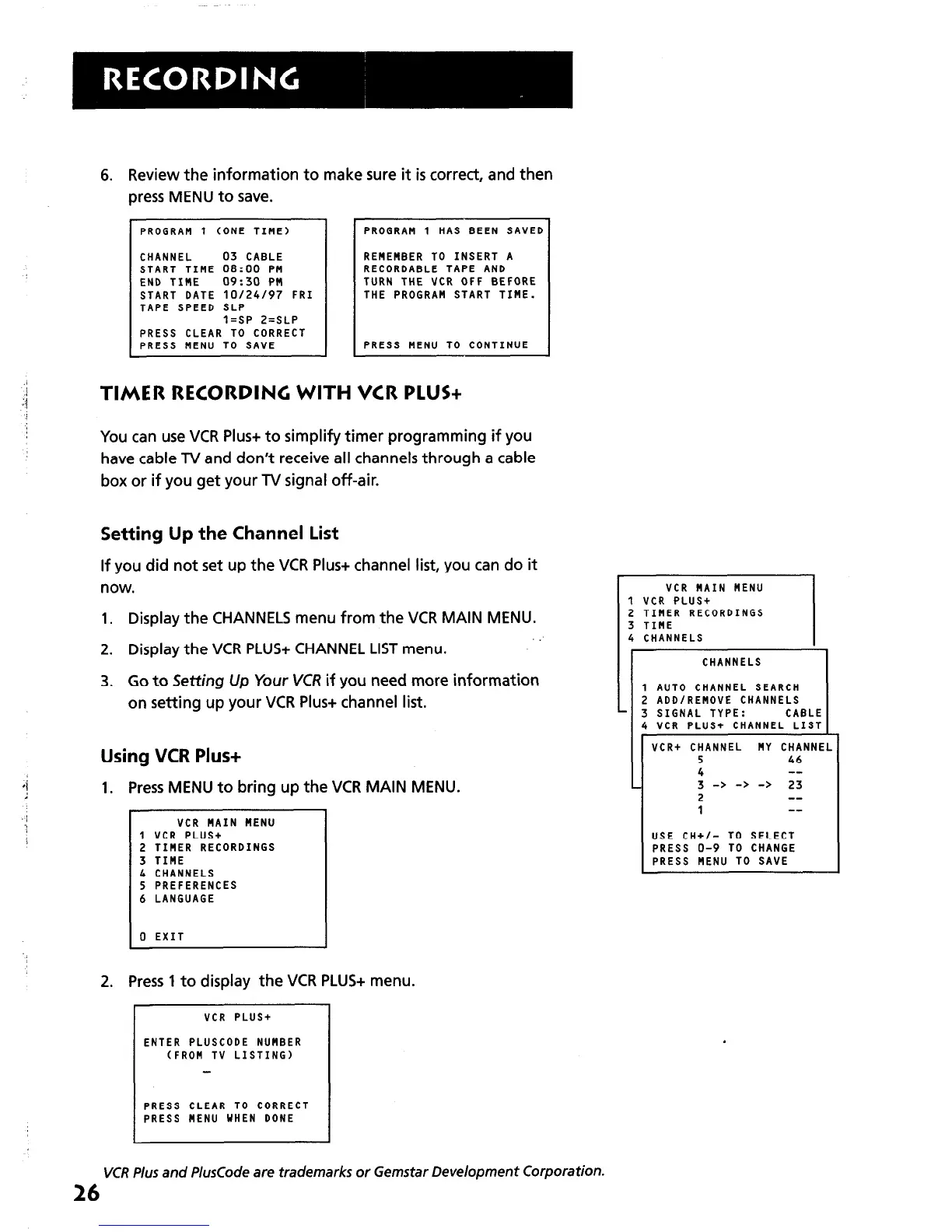
6. Review the information to make sure it is correct, and then
press MENU to save.
PROGRAM 1 CONE TIME)
CHANNEL 03 CABLE
START TIHE 08:00 PM
END TIHE 09:30 PM
START DATE 10124197 FRI
TAPE SPEED SLP
l=SP 2=SLP
PRESS CLEAR TO CORRECT
PRESS MENU TO SAVE
PROGRAM 1 HAS BEEN SAVED
REMEMBER TO INSERT A
RECORDABLE TAPE AND
TURN THE VCR OFF BEFORE
THE PROGRAM START TIME.
PRESS MENU TO CONTINUE
TIMER RECORDING WITH VCR PLUS+
You can use VCR Plus+ to simplify timer programming if you
have cable TV and don’t receive all channels through a cable
box or if you get your TV signal off-air.
Setting Up the Channel List
If you did not set up the VCR Plus+ channel list, you can do it
now.
1. Display the CHANNELS menu from the VCR MAIN MENU.
2. Display the VCR PLUS+ CHANNEL LIST menu.
3. Co to Setting Up Your VCR if you need more information
on setting up your VCR Plus+ channel list.
Using VCR Plus+
1. Press MENU to bring up the VCR MAIN MENU.
VCR MAIN MENU
1 VCR PLUS+
2 TIHER RECORDINGS
3 TIME
4 CHANNELS
5 PREFERENCES
6 LANGUAGE
0 EXIT
2. Press 1 to display the VCR PLUS+ menu.
VCR PLUS+
ENTER PLUSCODE NUMBER
CFROH TV LISTING)
PRESS CLEAR TO CORRECT
PRESS MENU WHEN DONE
VCR HAIN MENU
1 VCR PLUS+
2 TIMER RECORDINGS
3 TIME
4 CHANNELS
3 SIGNAL TYPE: CABLE
4 VCR PLUS+ CHANNEL LIST
VCR+ CHANNEL NY CHANNEL
5 46
4 --
3 -> -> -> 23
2 --
I
USE CH+/- TO SELECT
PRESS O-9 TO CHANGE
PRESS NENU TO SAVE
VCR Plus and PlusCode
are
trademarks or Gemstar Development Corporation.
26



 To Next Page