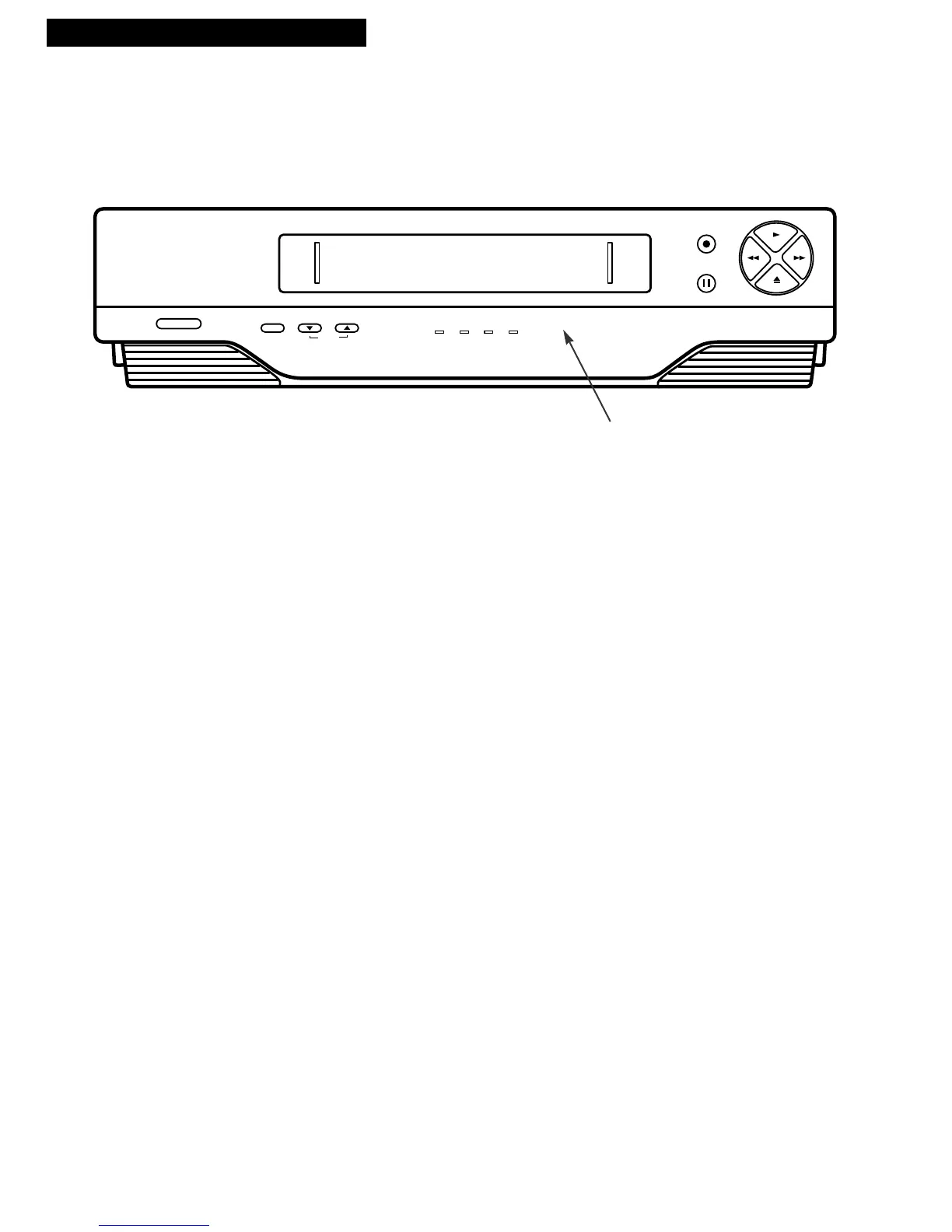
CHANNEL and TRACKING Up or Down
Selects next higher or lower channel in the
VCR’s channel memory.
Adjusts tracking when a tape is playing.
FWD (Fast Forward)
Fast forwards the tape when the VCR is
stopped.
Searches the picture forward during
playback.
PAUSE
Pauses action for viewing during
playback.
Pauses recording to prevent recording of
unwanted scenes.
PLAY
Plays a tape.
Press RECORD and PLAY to start the
VCR recording.
POWER
Turns the VCR on or off.
RECORD
Press RECORD and PLAY at the same time
to start VCR recording.
Remote Sensor
Receives signals from the remote control.
Aim the remote at this sensor with no
objects between them.
REW (Rewind)
Rewinds the tape when the VCR is stopped.
Searches the picture in reverse during
playback.
STOP•EJECT
Stops the normal functions such as record,
playback, rewind, fast-forward, or pause.
Press when the VCR is stopped to eject the
cassette.
TV•VCR
Switches the picture signal so that it either
comes from the VCR or the TV channel.
See page 9.
Front Panel
Tape Compartment
Remote Sensor
continued on next page



 To Next Page