53
ACCESSORY MANAGEMENT AND "MY TERA"
PARAMETERS | DEALER LEVEL ENABLED
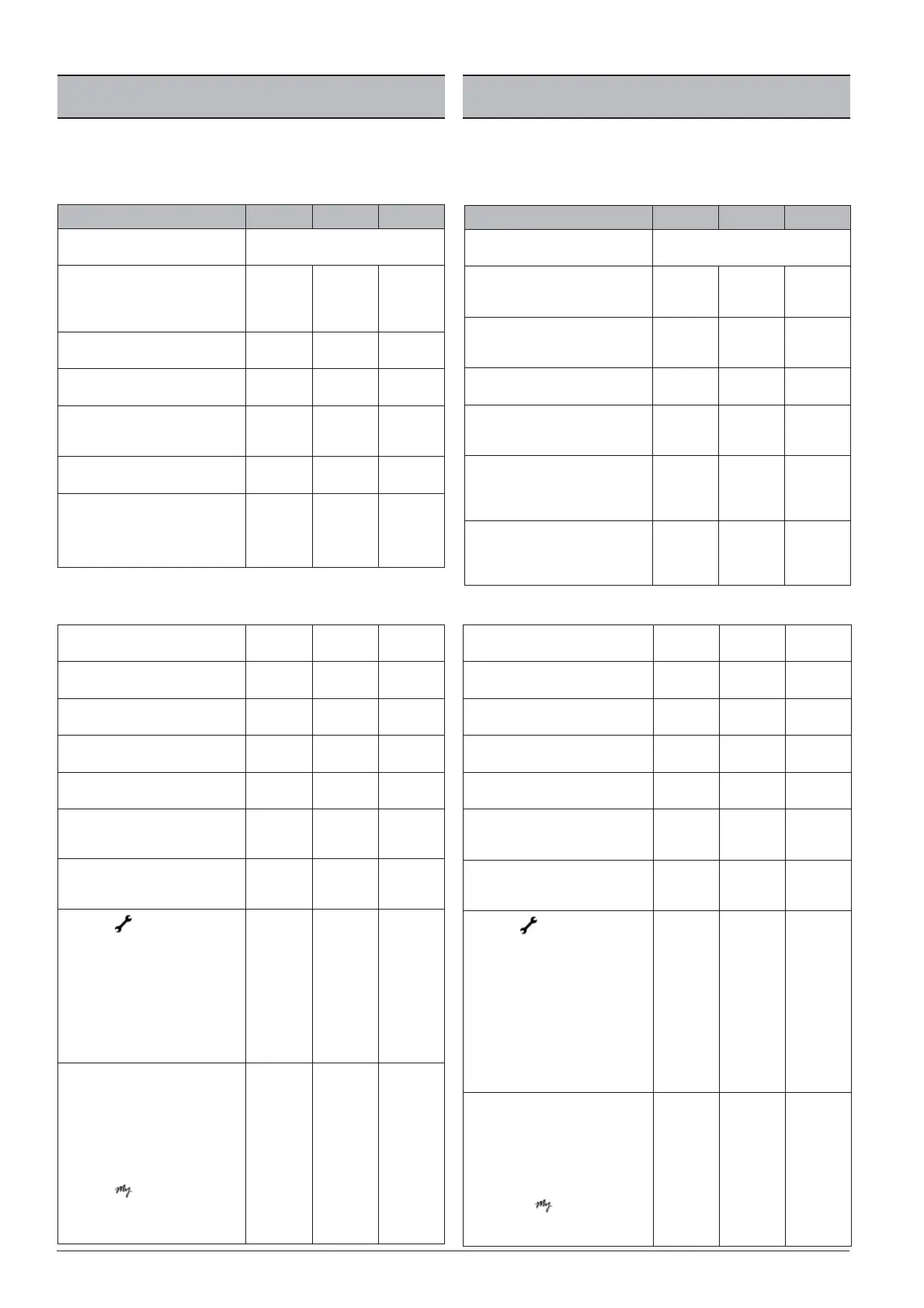
The following table shows the main settings; to edit them, you must set the pas-
sword to the “DEALER PASSWORD” setting.
Without con rming it with the “CONFIRM” button, scroll down to the desired pa-
rameter and change it.
Main settings default minimum maximum
Model selection.
(Machine type).
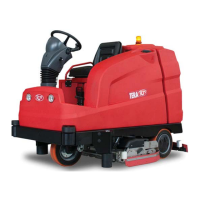
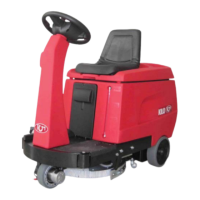
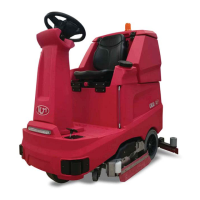
TERA 1102 - TERA 1102R/1 - TERA 1303
“DETERSAVER” function (optional).
(Adjusts the quantity of detergent and wa-
ter separately).
NO NO YES
“SPRAY & VACUUM DEVICE” (optional)
function.
NO NO YES
“WATER RECYCLING” function (optional).
NO NO YES
“REAR SWEEPING DEVICE” function (optional)
(operation of the machine in sweeping
mode).
NO NO YES
“SIDE BRUSH" function (optional)
(sweeping or washing mode).
NO sweeper
scrubber-drier
“ELECTRO BRAKE” function
(set to YES for machine EQUIPPED by
electro brake, set to NO for the machine
without electro brake).
NO YES
With the same password, the DEALER can change the following parameters:
Reset hour meter
(Reset the “partial” hour meter)
NO NO YES
Battery type
(Change the battery type, display the voltage)
36V-Pb 36V-Gel 36V-AGM
Alarm language
(Alarm display language)
ENG
(English)
ENG
(English)
ITA
(Italian)
Display contrast (from 5 to 20)
(Adjusts the display contrast)
15 5 20
Display brightness (from 0 to 20)
(Adjusts the display brightness)
10 0 10
Brush switch o delay (from 0 to 10 sec.)
(Adjusts the switch o delay of the brushes)
0.2 0.0 10.0
Vacuum switch o delay (from 0 to 30 sec.)
(Adjusts the switch o delay of the vacuum
motors)
5030
Service (h)
(Used to activate the request for assistance
after a certain established period 'expres-
sed in hours), the symbol ashes on the
display for about 10 seconds. This display
will reappear each time the machine is swi-
tched on until the hour counter is reset.
(THIS DISPLAY REQUESTS ROUTINE MAIN-
TENANCE AT AN AUTHORISED WORKSHOP).
NO 20 1000
Enter password
(To access the modi able parameters, de-
pending on its value, you can access the
following sub-menus):
- DEALER password: For support service (SET
IT BUT DO NOT CONFIRM IT)
- Password
: To set the parameters of
the "MY" function. (SET IT AND CONFIRM IT).
0 0 9999
GESTIÓN DE LOS ACCESORIOS Y PARÁMETROS
“MY TERA” | NIVEL DEALERS HABILITADOS
En las Tablas siguientes se visualizan las con guraciones principales, para modi -
carlas es necesario con gurar la contraseña con el valor “CONTRASEÑA DEALER”.
Desplazarse por las con guraciones sin con rmarla con la tecla “CONFIRMAR”,
hasta que se llegue al parámetro que se desea y modi car.
Con guraciones principales
por defecto
mínimo máximo
Model selection.
(Tipo de máquina).
TERA 1102 - TERA 1102R/1 - TERA 1303
Función “DETERSAVER” (opcional).
(Regular por separado la cantidad de deter-
gente y la de agua).
NO NO SÍ (YES)
Función “SPRAY & VACUUM DEVICE”
(opcional).
(Lanza y aspiración).
NO NO SÍ (YES)
Función “WATER RECYCLING” (optional).
(recirculación de agua).
NO NO SÍ (YES)
Función “REAR SWEEPING DEVICE” (opcional)
(funcionamiento de la máquina en modali-
dad barredora).
NO NO SÍ (YES)
Función “SIDE BRUSH” (sweeping or wa-
shing modality) (optional)
(uso de los cepillos laterales de barrido o
de lavado).
NO barredora fregadora
Función “ELECTRO BRAKE”
(ajuste a SÍ para la máquina EQUIPADA por
electro freno, ajuste a NO para la máquina
sin freno eléctrico).
NO SI (YES)
Con la misma contraseña DEALER se pueden modi car los parámetros siguientes:
Reset countmeter
(Poner a cero el contador de horas “parcial”)
NO NO YES
Battery type
(Modi car el tipo de batería, visualizar la tensión)
36V-Pb 36V-Gel 36V-AGM
Alarms language
(Idioma en el que se visualizan las alarmas)
ENG (inglés) ENG (inglés) ITA (italiano)
Pantalla tune (de 5 a 20)
(Regular el contraste en la pantalla)
15 5 20
Pantalla brightness (de 0 a 20)
(Regular la luminosidad de la pantalla)
10 0 10
Brush switch o delay ( de 0 a 10 seg.)
(Regular el tiempo de retraso de apagado
de los cepillos)
0,2 0,0 10,0
Vaccum switch o delay (de 0 a 30 seg.)
(Regula el tiempo de retraso de apagado de
los motores de aspiración)
5030
Service (h)
(Sirve para activar la solicitud de interven-
ción de asistencia después de un cierto
tiempo tiempo “expresado en horas), el
símbolo parpadea en la pantalla durante
unos 10 segundos aproximadamente, esta
visualización volverá a aparecer cada vez
que se ponga en marcha la máquina hasta
el reset del contador de horas.
CON ESTA VISUALIZACIÓN SE SOLICITA UNA
INTERVENCIÓN DE MANTENIMIENTO ORDI-
NARIO EN UN TALLER AUTORIZADO).
NO 20 1000
Insert password
(Para acceder a los parámetros modi cables,
según el valor que tengan, se tiene acceso a
los siguientes submenús):
- Contraseña DEALER: Para el servicio de asi-
stencia (CONFIGURAR PERO NO CONFIRMAR)
- Contraseña : Para con gurar los
parámetros de la función “MY”. (CONFIGU-
RAR Y CONFIRMAR).
0 0 9999



 To Next Page