Optional Function Settings
The reader is factory-configured with a set of standard default
features. You can select other options and customize your reader
through programming bar codes in this booklet.
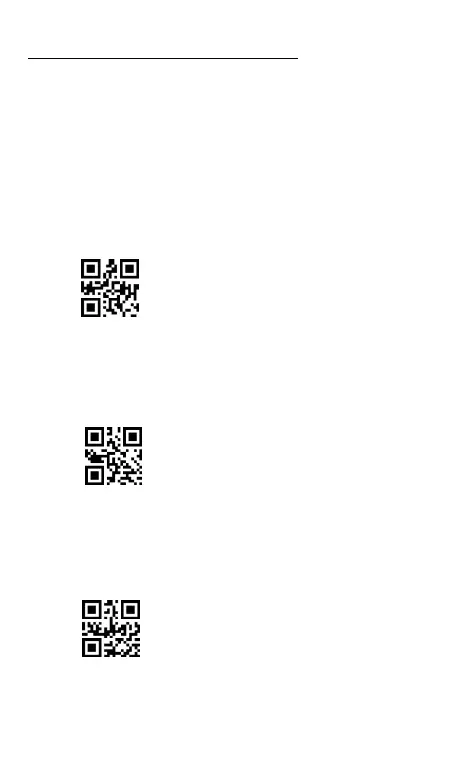
1. Scanning Modes
The scanner can operate in one of several scanning modes.
1.1 Manual Trigger Mode
When press the Button 2, the scanning light shows up and and the
scanner attempts to read a label.
1.2 Continuous Scanning Mode
There’s no need to press the Button 2 in this scanning mode. The
scanning light of the scanner will be on all the time.
1.3 Auto-Sensing Mode
There is no need to press the Button 2 in this scanning mode. Shaking
the scanner slightly, or something passes by the scanning window,
the scanning light will shows up to read barcode.



 To Next Page