Quick Start Guide
The RL3200DB scanner has three connection modes: Bluetooth
Pairing Mode + 2.4GHz Wireless Mode + Wired Mode
It is suggested to use 2.4GHz Wireless Mode & Wired mode on
computers, use Bluetooth Wireless mode on the smart phones,
tablets.
Pairing Mode
1.1 Bluetooth Pairing
To pair with a Bluetooth enabled host:
Step 1. Press the Button 2 to wake up the bar code scanner. Scanner
beeps at a series of high frequency tones.
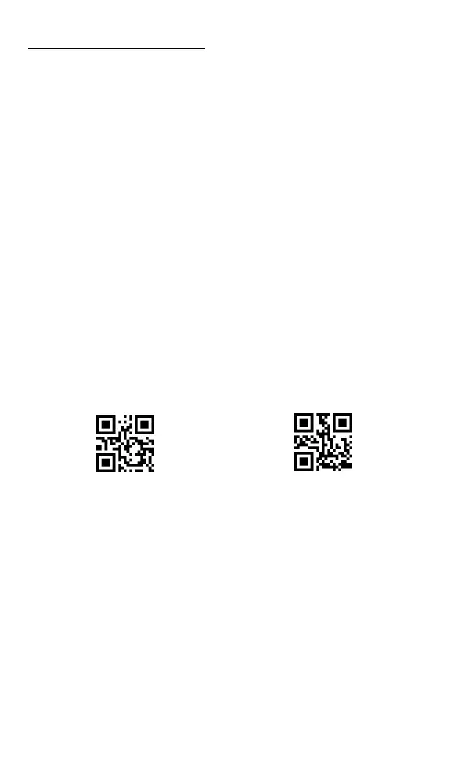
Step 2. Scan below “ Bluetooth HID ” and “ Pairing “ codes in
order. The Bluetooth indicator blinks quickly indicating that the
scanner is discoverable by the Host.
Step 3. On the Host, use the dedicated Bluetooth application to
search for new devices. Select the “ Bar Code Scanner HID” from
the list of available devices. When the scanner finish pairing with the
Host, the Bluetooth indicator remains solid on and the buzzer beeps
“di”.
Step 4. Scan “ Instant upload mode” code to allow the scanner to
upload barcodes to host instantly.



 To Next Page