Installation, Operation and Technical Manual Rectifier Technologies
158-1872-01 79 19-Feb-14
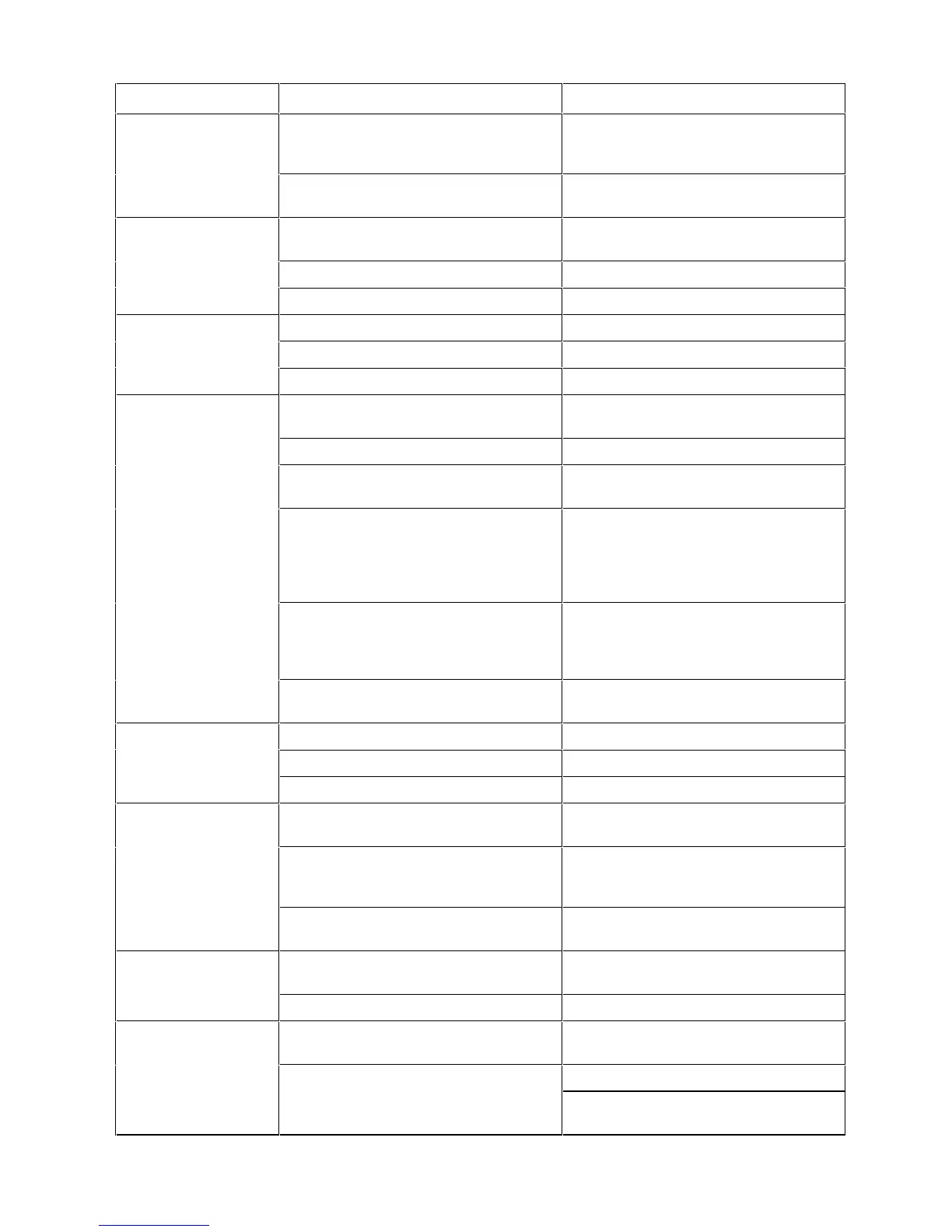
Battery temperature higher than pre-set
level
Check battery temperatures and if
necessary increase ventilation and
cooling
Check Batt Temp High threshold level
and re-adjust if necessary
Temperature Sensor in MCSU-4 not
attached or faulty
Plug in temperature sensor if required;
Replace temperature sensor
Faulty MUIB connection(s)
Float level set too high on MCSU-4
Check and adjust if necessary
AC power has failed; system on battery
power
Restore AC power if possible
Alarm threshold level set too high
Check set point and adjust if necessary
All SMRs are off due to MCSU-4 Inhibit
signal, system on battery power
Check reason for signal; if necessary
replace MCSU-4
Battery charging current limiting due to
faulty battery current signal - this will
depress float voltage
Check battery currents. If one of them
shows figure higher than Batt Chg Curr
Lim set point, check corresponding
current transducer; check connections to
transducer; check MUIB connections
Battery Temperature Compensation too
high due to faulty battery temperature
monitoring
Check battery temperature readings in
Batt menu; Check and if necessary
replace faulty sensor; check connection
to MUIB
Battery Temperature Compensation too
high due to faulty MUIB
Output voltage too high due to SMR fault
HVSD threshold on SMRs set too low
Check and re-adjust threshold level
SMRs not sharing
load current
Communications link malfunctioning or
faulty rectifier (digital current control)
Replace Comms cable and/or SMR
Faulty MCSU-4 voltage and current
control loop IODEM signal (analog active
current control)
Float or Equalise level on MCSU-4 set
too high/too low.
Check and re-adjust Float or Equalise
level on MCSU-4
SMR not responding to MCSU-4
Check and if necessary replace comms
cable at back of magazine faulty
Faulty microprocessor card in SMR
Unit not current sharing (if only one
showing power limit)
Load current too high (if more than one
unit showing alarm)
Reduce battery charging current limit if it
is too high


 To Next Page