8
2. Zeroing the meter
Before performing the zeroing procedure:
1. Power the meter for at least 30 minutes to warm up the electronics.
2. Circulate product thru the meter for 5 – 10 minutes to remove vapor and allow meter to reach a steady tempera-
ture.
3. Close the valve downstream of the meter rst, vapor return line valve second, and nally close the valve upstream
of the meter. All three should be closed as quickly as possible, to assure the meter is completely lled with LPG.
4. Disengage the truck PTO.
2.1 Modbus Units
Using ProLink 3:
1. Power up the meter, allow to stabilize for approx. 20 minutes. Run process uid through meter until temperature
equalizes. Shut off ow and ensure it is completely stopped.
2. Attach temporary RS485 connection to SP terminals on user interface module (see section II above). Establish a
connection in ProLink 3.
3. In ProLink 3: “Device Tools” > “Calibration” > “Zero Verication and Calibration”.
4. Perform Auto Zero, or select other options as desired.
5. LED on user interface module turns red during calibration, and turns green afterward for a good zero. If it remains
red, calibration is unsuccessful and troubleshooting must be done.
2.2 Pulse Output Units
Using the “Zero” button:
1. Remove the four screws that secure the cover of the electronics housing. Remove the cover.
2. Power up the meter, allow to stabilize for approximately 20 minutes. Run process uid through meter until tem-
perature equalizes. Shut off ow and ensure it is completely stopped.
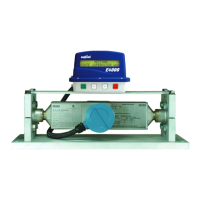
3. Press the zero button with a pointed tool and hold it until the status LED on the user interface module ashes yel-
low. (See picture below for location of button.)
4. If the status LED shows solid green or solid yellow, the zero was successful. If it is red, the zero is not successful
and should be repeated.
(Note that the zeroing time cannot be changed when using the zero button; if a different time is desired, you must
use ProLink).


 To Next Page
 Loading...