ATTACH EPIC/SCARLET SIDE MEDIA MODULES
Follow the instructions in this section to attach any of the following modules to an EPIC or SCARLET camera:
RED MINI-MAG Side SSD Module
Carbon Fiber RED MINI-MAG Side SSD Module
DSMC 1.8" SSD Side Module
DSMC 1.8" SSD Side Module (DRAGON)
Carbon Fiber DSMC 1.8" SSD Side Module (DRAGON)
WARNING: DO NOT attach the carbon fiber side SSD module using any screws except the red screws that are
provided. Using other screws, including the screws that come with the standard aluminum camera or side SSD
modules, will strip the through holes and damage the panels of the carbon fiber EPIC/SCARLET. For more
information, go to "Install EPIC/SCARLET Side Media Modules" on page37.
WARNING: Damage to the camera, side SSD module, or other components of the camera system caused by mixing
carbon fiber components with non-carbon-fiber components is not covered under warranty, and may void the warranty
for both the camera and the side SSD module. For more information, go to "Mixing Carbon Fiber and Aluminum
Components" on page7.
REQUIRED TOOL(S): T10 TORX
®
driver
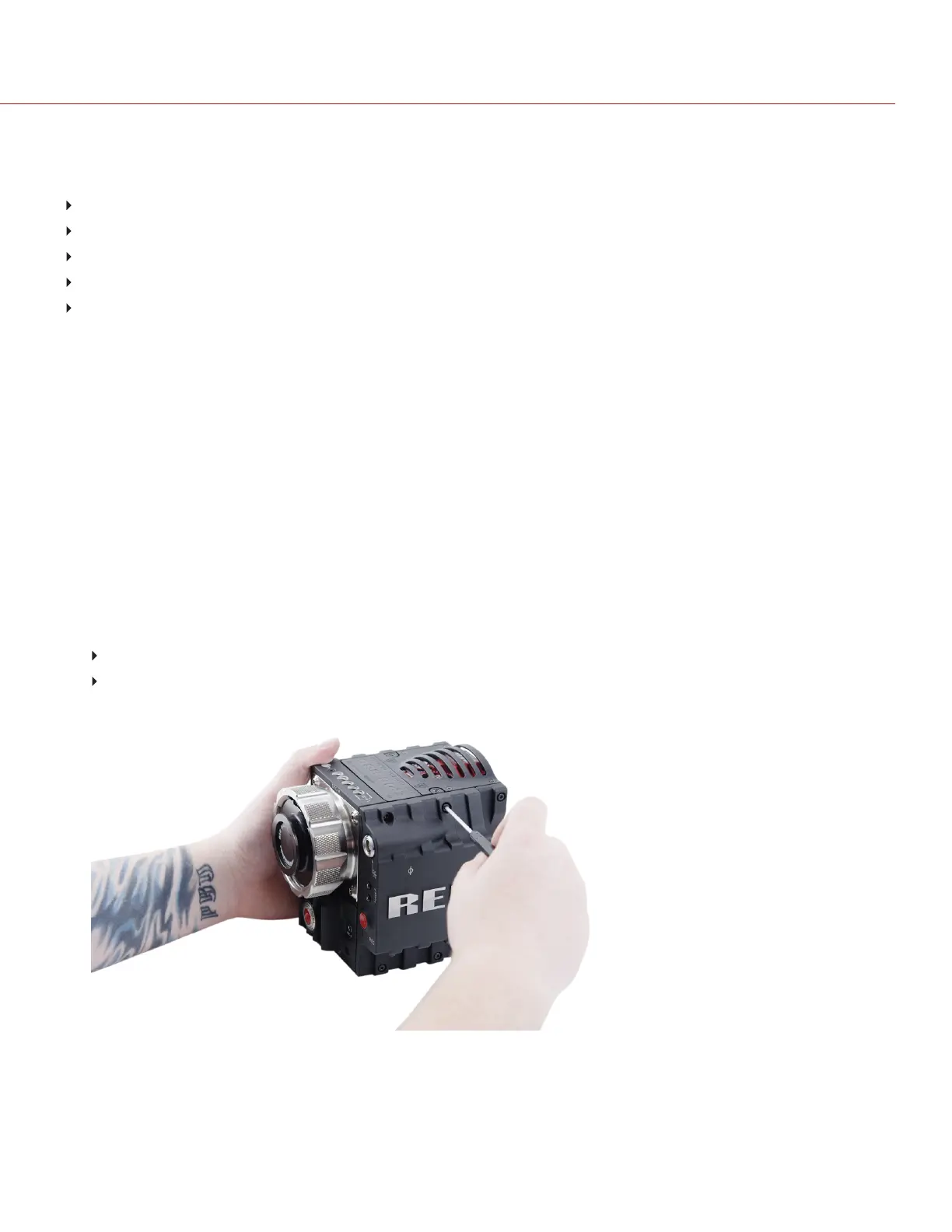
1. Place the side media module on the camera, so that the mounting holes of the module align with the screw holes
of the camera.
2. Use a T10 TORX driver to tighten the four (4) screws by about two (2) turns in a cross pattern (“X” pattern). DO
NOT FULLY TIGHTEN.
The screw types for the side SSD modules are listed below:
Aluminum side SSD modules: Black M3x0.5 x 6 mm or M3x0.5 x 5.5 mm cap screws.
Carbon fiber side SSD modules: Red M3x0.5 x 6 mm cap screws that come with the carbon fiber
EPIC/SCARLET.
Figure: Tighten Screws
3. Tighten the four (4) cap screws evenly. DO NOT exceed 70 in-oz, or damage may occur.
WARNING: DO NOT OVERTIGHTEN.
C O PYRIGHT © 2 017 R ED.C OM , LLC 955- 0047, REV- AH| 40
RED DSMC MEDIA OPERATION GUIDE


 To Next Page