FORMAT MEDIA (WINDOWS) AS FAT32
NOTE: A Windows
®
computer can format an SSD as FAT32 only when the SSD capacity is 64GB or less, due to the
constraints of the file system.
IMPORTANT: Ensure that data is backed up before formatting media, since formatting erases all data on the SSD.
1. Connect the RED MINI-MAG or REDMAG 1.8" SSD to your computer. For more information, go to "OffloadMedia"
on page52.
2.
Open My Computer.
3.
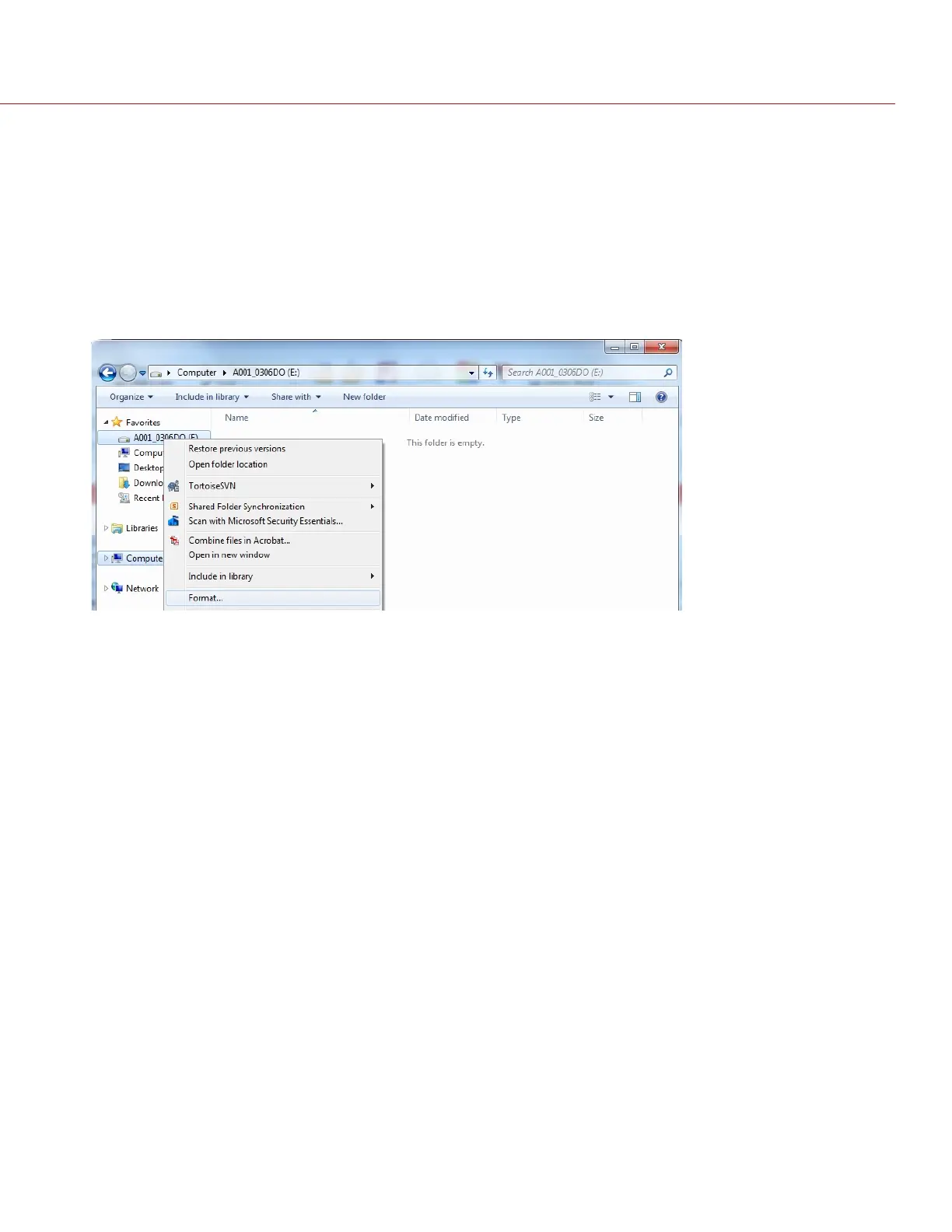
Right-click the drive and select Format.
Figure: Format Media
IMPORTANT: Before performing the next step, double-check that this is the correct SSD from which you want to
erase data.
4.
Select exFAT from the File System drop-down menu.
C O PYRIGHT © 2 017 R ED.C OM , LLC 955- 0047, REV- AH| 48
RED DSMC MEDIA OPERATION GUIDE


 To Next Page